ExpertOption Trading Guide 2026: How to Start Trading with Risk Management

In this guide, you’ll learn how to trade on ExpertOption step by step, explore practical strategies you can apply in different market conditions, and understand essential risk management tips to help you trade more responsibly and consistently.

How to Trade on ExpertOption — A Complete Beginner’s Guide to Binary Options Trading
Ready to place your first trade on ExpertOption but not sure where to start? This guide walks you through everything — from understanding how binary options work to executing your first real trade on the platform — step by step and in plain language.
What Is Binary Options Trading?
Before jumping into the platform itself, it helps to understand exactly what you are trading when you use ExpertOption.
Binary options trading is one of the simplest forms of financial speculation available. Unlike traditional investing where you buy and hold an asset, binary options require you to make a single prediction — will the price of an asset go up or down within a chosen timeframe?
If your prediction is correct when the trade expires, you earn a fixed return on your investment. If your prediction is wrong, you lose the amount you placed on that trade. There are only two possible outcomes — which is exactly where the name "binary" comes from.
ExpertOption makes this process accessible by offering:
- A clean and intuitive trading interface
- Short expiry times ranging from 30 seconds to several minutes
- Fixed payouts so you always know your potential return before entering a trade
- A free demo account to practice without any financial risk
What Can You Trade on ExpertOption?
ExpertOption gives traders access to over 100 financial assets across multiple categories:
| Asset Category | Examples |
|---|---|
| Currency Pairs (Forex) | EUR/USD, GBP/USD, USD/JPY |
| Stocks | Apple, Google, Amazon, Tesla |
| Commodities | Gold, Silver, Oil |
| Indices | SP 500, Dow Jones, NASDAQ |
| Cryptocurrencies | Bitcoin, Ethereum, Litecoin |
Each asset has its own characteristics, volatility patterns, and trading hours. As a beginner, starting with major currency pairs like EUR/USD is recommended as they tend to have more predictable movements and plenty of available analysis online.
Demo Account vs Real Account — Which Should You Start With?
ExpertOption offers two trading environments:
🎮 Demo Account
- Comes pre-loaded with $10,000 in virtual funds
- Identical interface to the real trading environment
- No financial risk whatsoever
- Resets automatically if your balance runs low
- Perfect for learning the platform and testing strategies
💰 Real Account
- Requires a minimum deposit of $10
- All profits are real and withdrawable
- Full access to bonuses and promotions
- Participation in trading tournaments and competitions
Our recommendation: Spend at least one to two weeks on the demo account before switching to real money. Get comfortable with the platform, understand how trades work, and develop a basic strategy before putting real funds at risk.
Key Trading Terms You Need to Know
Before placing your first trade, familiarize yourself with these essential terms:
Strike Price
The price of an asset at the exact moment you open a trade. Your prediction is measured against this price at expiration.
Expiry Time
The duration of your trade — how long until your prediction is evaluated. ExpertOption offers expiry times ranging from 30 seconds to several minutes.
Payout Percentage
The return you receive if your trade is correct. For example, an 80% payout on a $10 trade means you earn $8 profit if you win.
Call (Up)
A trade prediction that the asset price will be higher at expiry than it was when you opened the trade.
Put (Down)
A trade prediction that the asset price will be lower at expiry than it was when you opened the trade.
Trade Amount
The amount of money you place on a single trade. This is the maximum amount you can lose if the trade goes against you.
How to Place Your First Trade on ExpertOption — Step-by-Step
Step 1: Log In and Access the Trading Interface
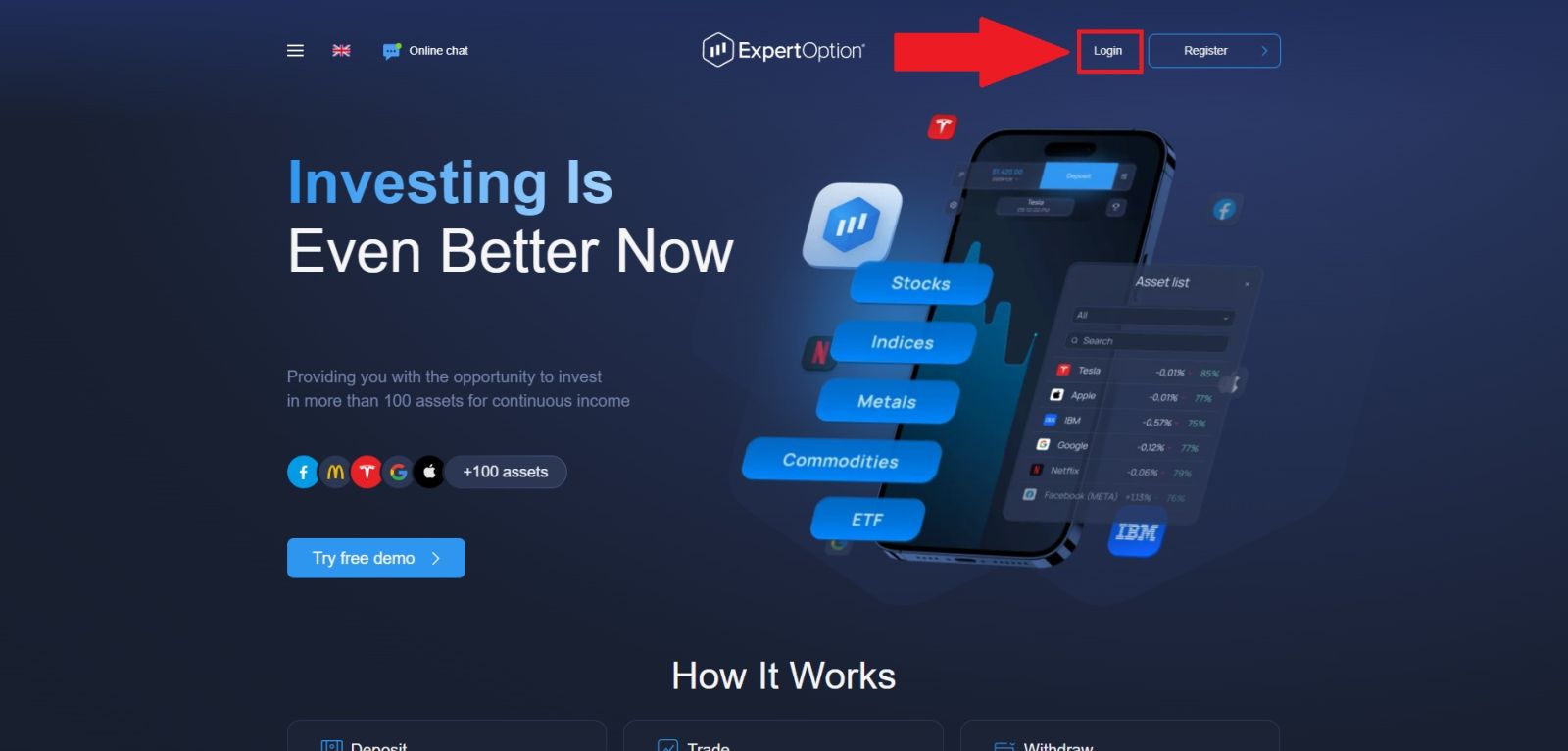
Open your browser and navigate to the official ExpertOption website. Log in using your registered email and password or through your linked social account.
Step 2: Access the Trading Interface
Once inside your dashboard, your homepage is where you are going to start your trading process.
If you are not ready to trade with real money yet, make sure your account is set to Demo Mode by toggling between demo and real at the top of the screen.
Step 3: Understand the Trading Interface
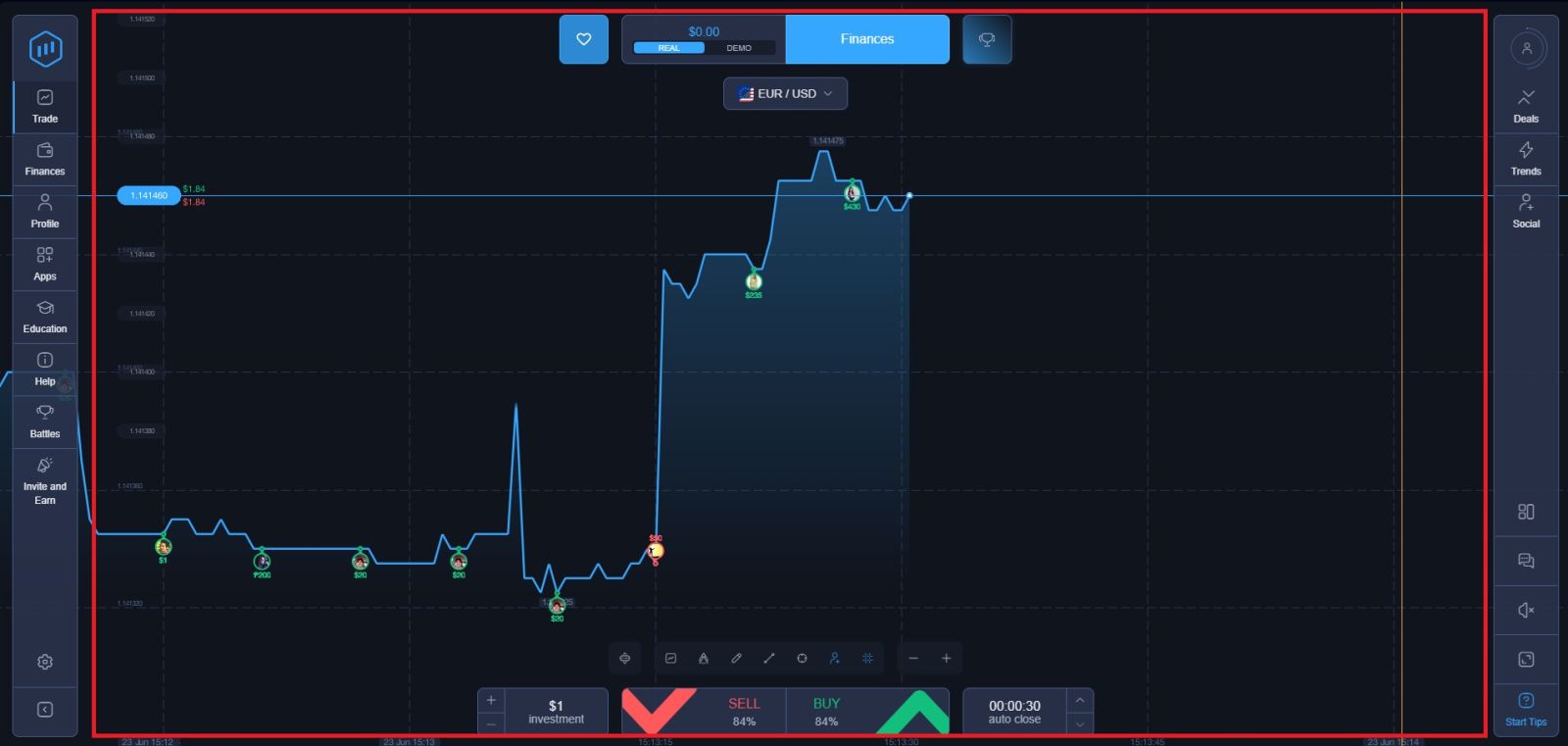
Before placing any trade, take a moment to familiarize yourself with the layout of the ExpertOption trading screen. For beginners especially, knowing what each element does is essential for making confident decisions and avoiding unnecessary mistakes.
Here is a breakdown of the key components you will see:
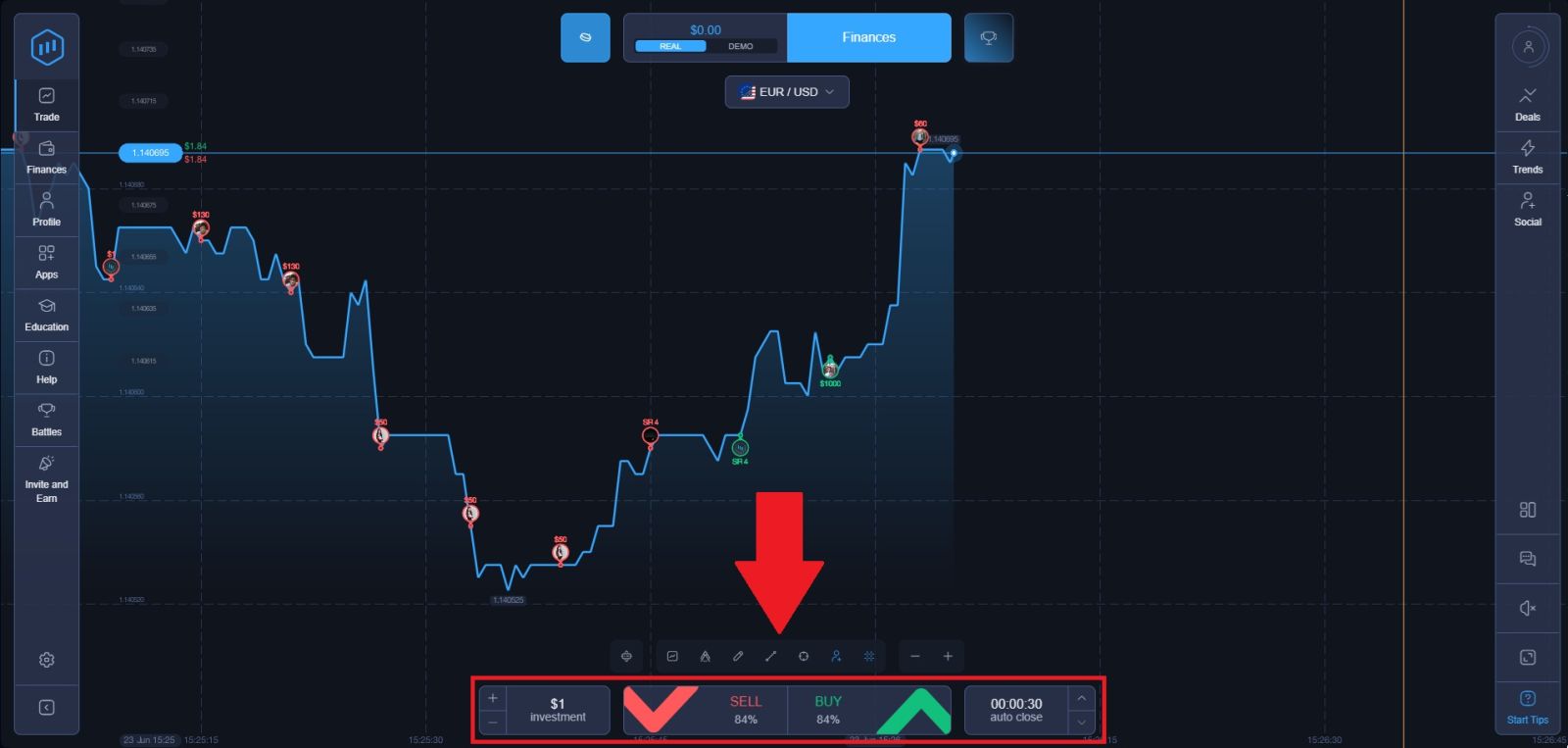
1. Trade Panel:
Located in the middle of the screen, this is where you control everything about your trade — your investment amount, expiry time, and whether you are predicting the price to go up or down. Every trade you place starts here.
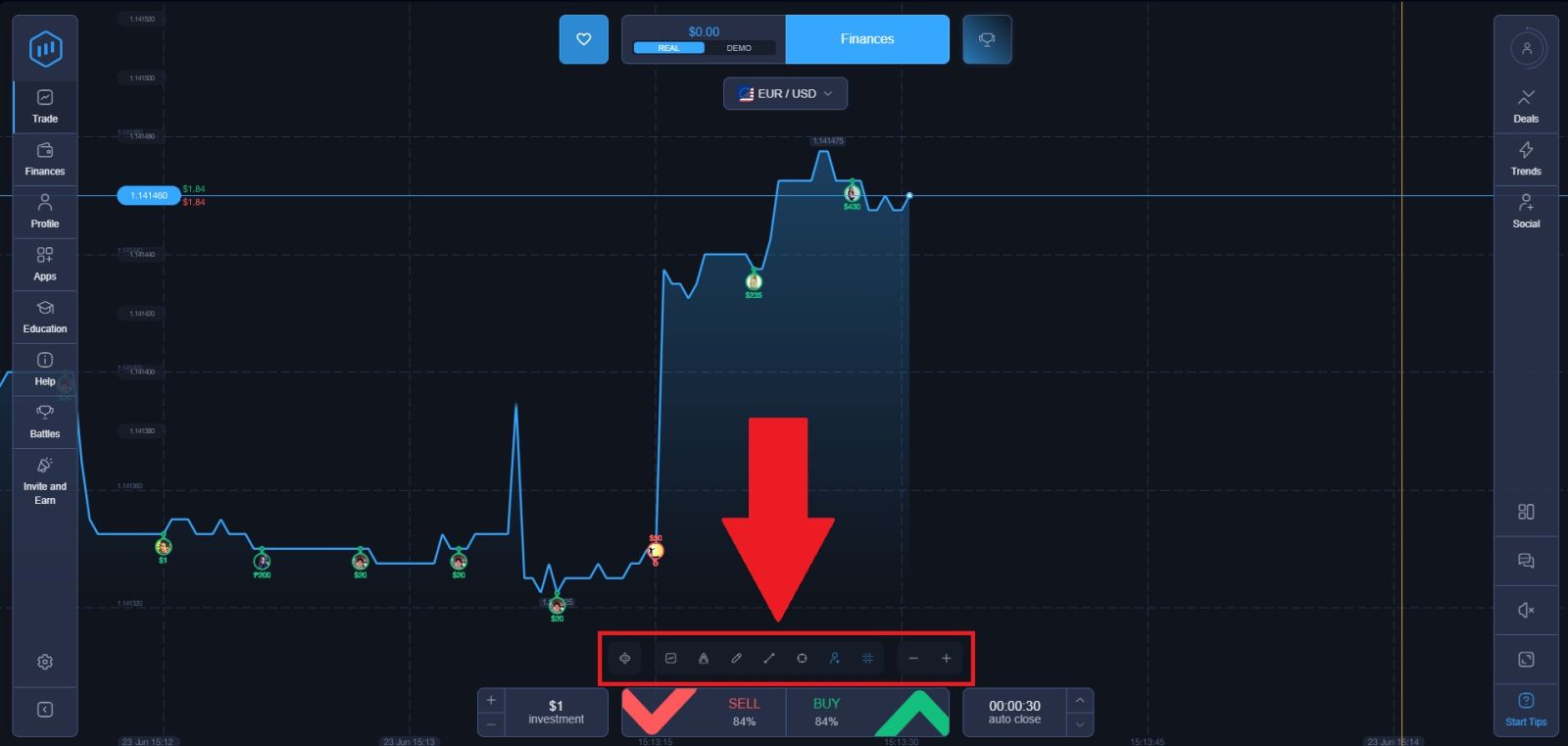
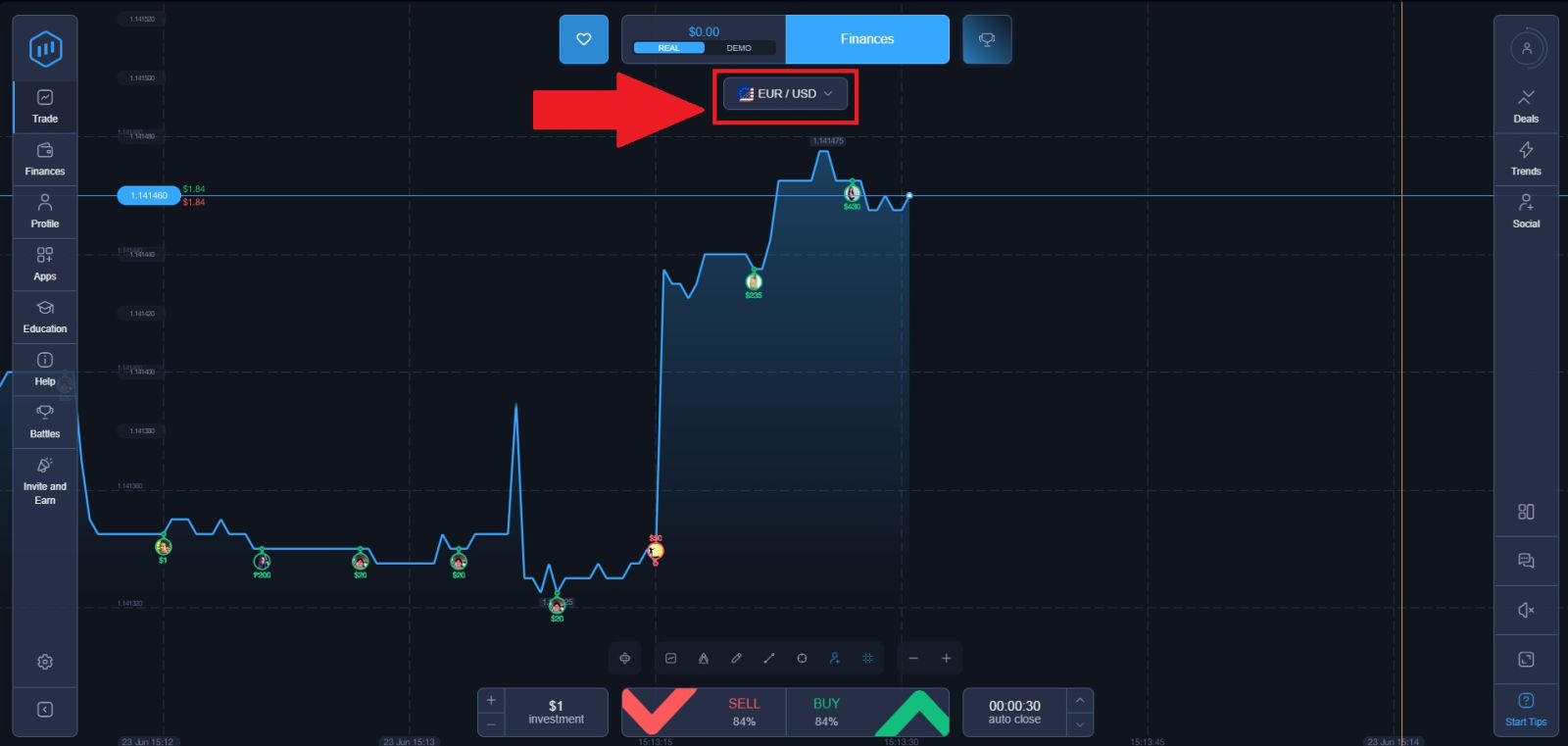
2. Asset Watchlist:
Found at the middle top of the screen, the asset list allows you to browse and switch between all available trading instruments including currency pairs, stocks, commodities, indices, and cryptocurrencies. Click any asset to load its live chart instantly.
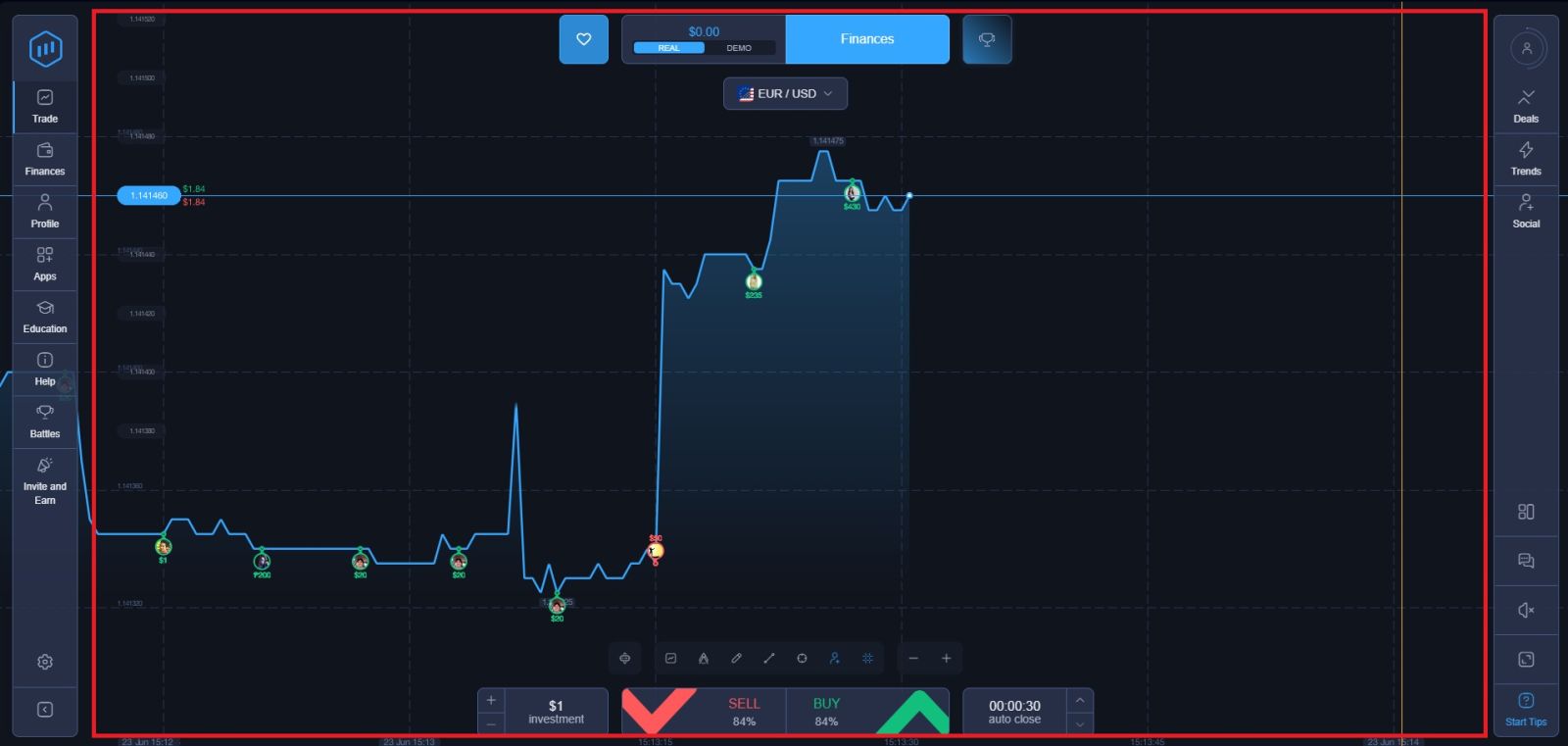
3. Price Chart:
Taking up the centre of the screen, the live price chart displays real-time movement for your selected asset. You can adjust the chart timeframe, zoom in and out for a closer look, and apply technical indicators directly onto the chart to support your market analysis.
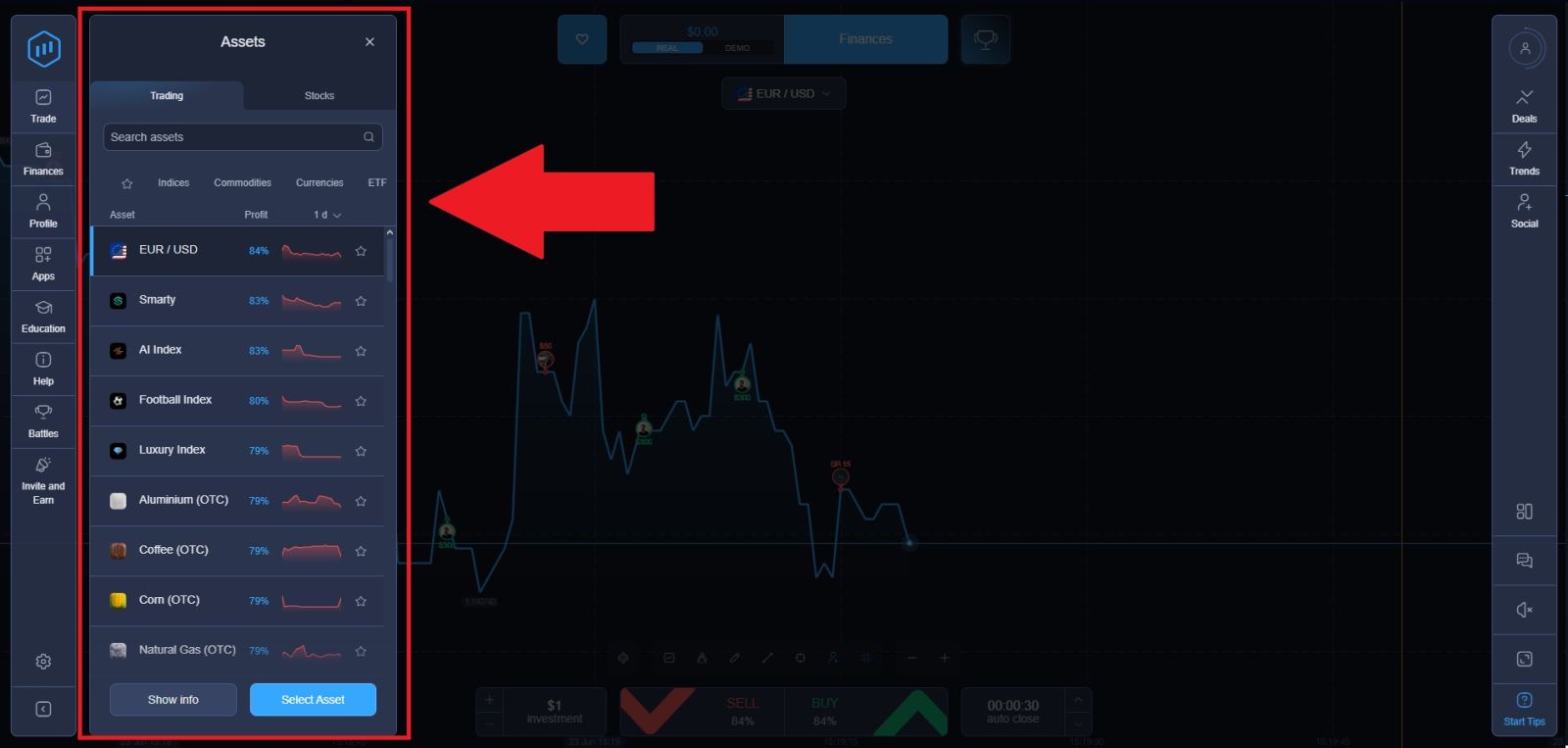
Step 4: Select Your Asset
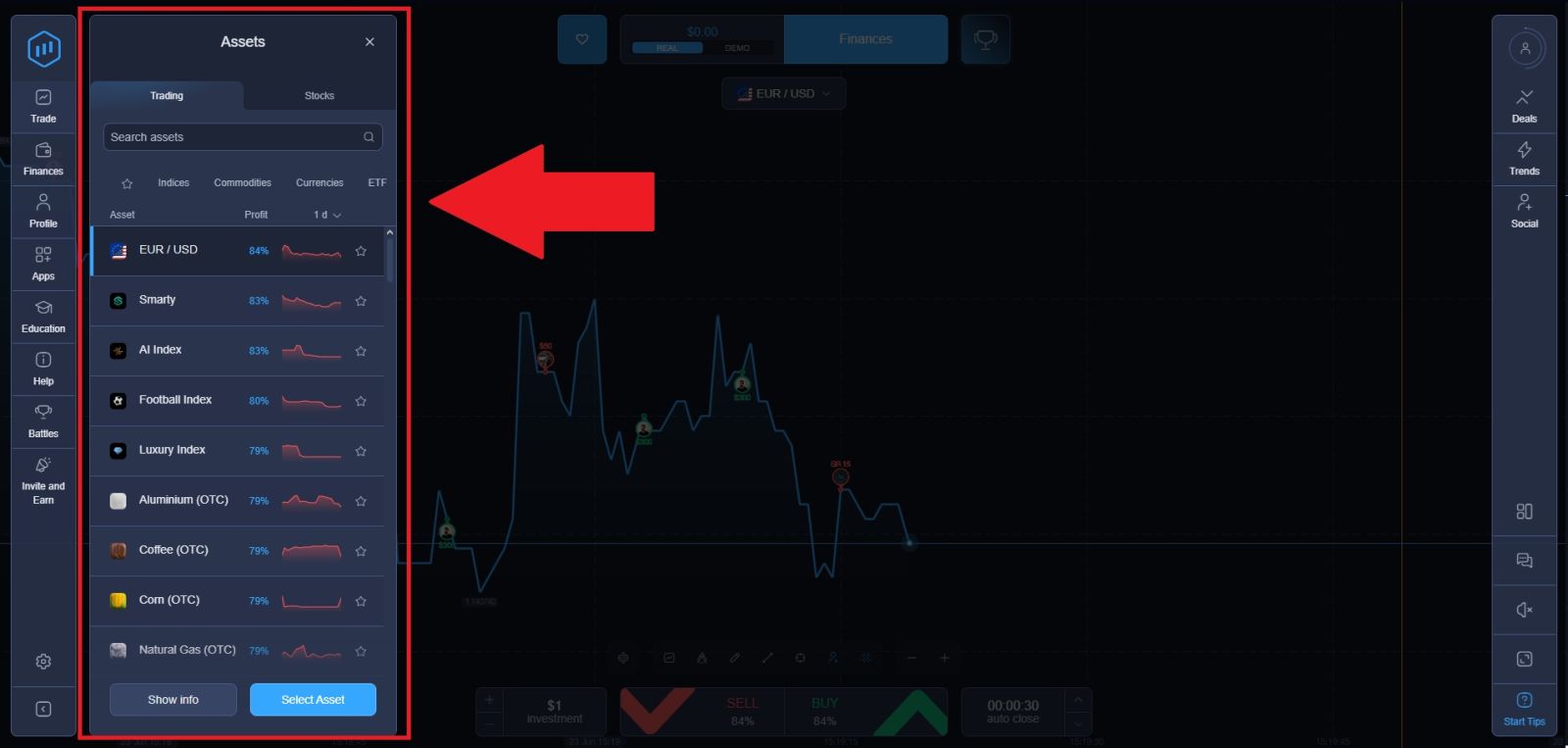
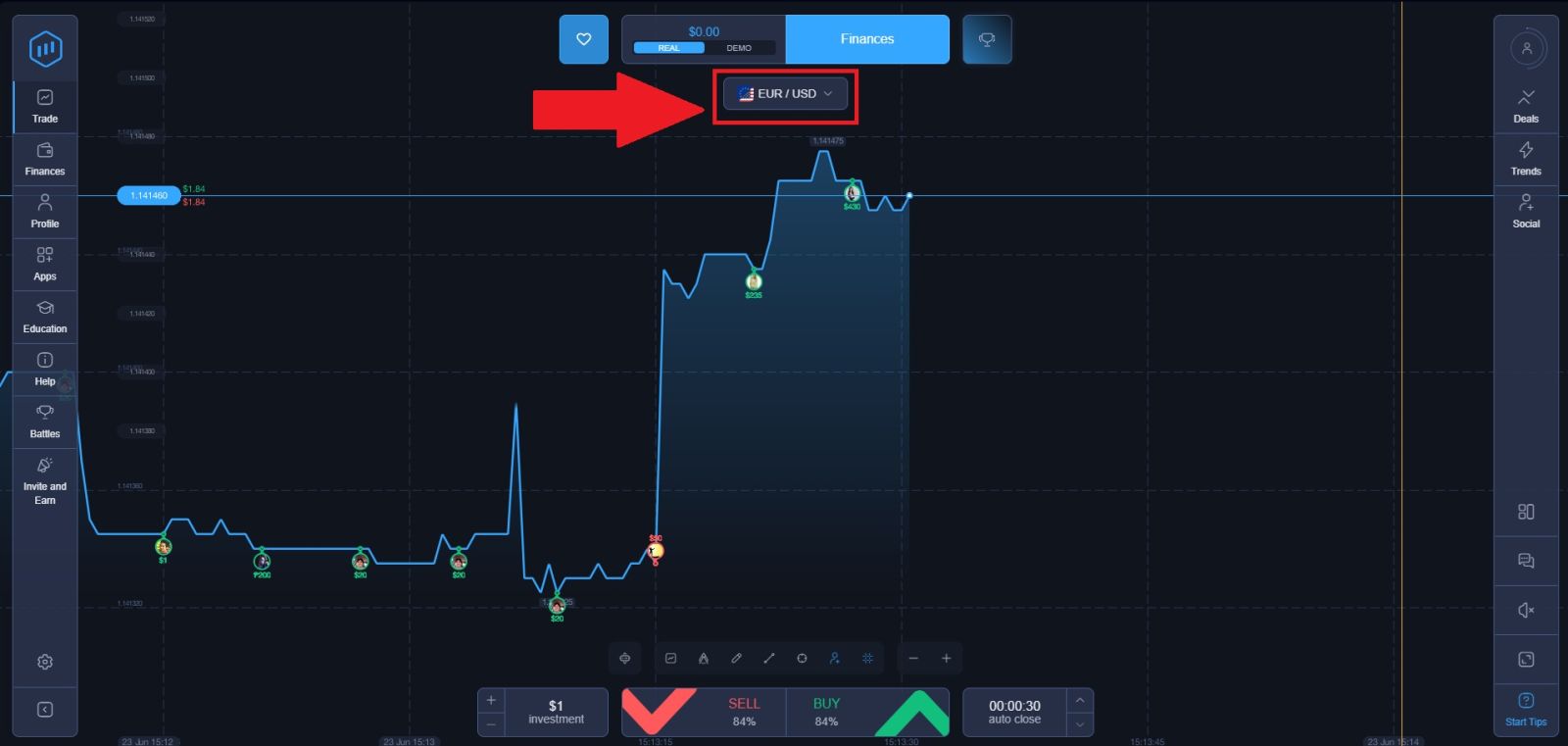
At the top of the trading screen, you will see the currently selected asset along with its live price chart. Click on the asset name to open the full asset list and browse all available options across different categories including currencies, stocks, commodities, indices, and cryptocurrencies.
When choosing an asset, consider the following:
- Volatility — more volatile assets offer bigger price swings but are harder to predict
- Familiarity — trade assets you understand or have researched
- Trading hours — some assets like stocks are only available during market hours while crypto trades around the clock
- Payout percentage — different assets offer different returns, displayed next to each asset name
Click on your chosen asset to load its live price chart on the main trading screen.
Step 5: Place Your Trade — Call or Put
Enter the amount you want to place on this trade in the investment field. This protects your account from significant losses and keeps you in the game long enough to develop consistency.Select how long you want your trade to remain open before the outcome is decided. ExpertOption offers a range of expiry options from as short as 60 seconds up to several hours depending on your trading style.
Once you have analyzed the chart and decided on your prediction, it is time to place the trade. In the trading panel you will see two buttons:
- 🟢 BUY (Call) — click this if you believe the price will be higher at expiry
- 🔴 SELL (Put) — click this if you believe the price will be lower at expiry
Click the button that matches your prediction. Your trade will be opened immediately at the current market price, and a countdown timer will begin showing how much time remains until expiry.
Trading Strategies for ExpertOption Beginners
You do not need a complex strategy to start trading effectively. Here are three simple approaches that work well for beginners:
Trend Following
Identify the current direction of the market — if the price has been consistently moving upward, place a Call trade in the direction of that trend. Avoid trading against strong trends as a beginner.
Support and Resistance
Look for price levels where the market has repeatedly bounced up from (support) or been pushed back down from (resistance). When price approaches these zones, it often reverses — providing a trading opportunity in the opposite direction.
News-Based Trading
Major economic announcements such as interest rate decisions, employment reports, or company earnings releases can cause sharp and predictable price movements. Trading in the direction of the news immediately after a major release can be effective — but also risky if the market reacts unexpectedly.
Common Mistakes New ExpertOption Traders Make
Avoid these pitfalls that catch most beginners off guard:
Trading without a plan
Placing trades based on gut feeling rather than analysis leads to inconsistent results. Always have a reason for every trade you place.
Chasing losses
After a losing trade, the instinct is to immediately place a bigger trade to recover. This is called revenge trading and it almost always makes things worse. Stick to your trade sizing rules regardless of recent results.
Overtrading
More trades does not mean more profits. Placing too many trades increases your exposure and leads to emotional decision-making. Quality over quantity always wins in the long run.
Ignoring the demo account
Skipping straight to real money trading without practicing first is one of the most common and costly mistakes new traders make. Use the demo account until you understand the platform, order types, risk controls, and common trading mistakes before switching to real funds.
Trading every asset available
Focus on two or three assets you understand well rather than jumping between dozens of markets. Specialization leads to better pattern recognition and more consistent results.
Tips for Long-Term Trading Success on ExpertOption
- Keep a trading journal — record every trade, your reasoning, and the outcome. Reviewing your journal regularly reveals patterns in both your successes and mistakes
- Set a daily loss limit — decide in advance the maximum amount you are willing to lose in a single day and stop trading when you hit it
- Take breaks — trading while tired, stressed, or emotional leads to poor decisions. Step away and return with a clear head
- Keep learning — use ExpertOption’s built-in education section to improve your understanding of markets and technical analysis
- Start small and scale slowly — increase your trade sizes gradually as your confidence and consistency improve, never all at once
Your ExpertOption Trading Journey Starts Here
| Guide | Link |
|---|---|
| 📝 How to Register | click here |
| 🔑 How to Log In | click here |
| 💰 How to Deposit | click here |
| 💸 How to Withdraw | click here |
Conclusion: Trade on ExpertOption with Confidence and Discipline
Trading on ExpertOption is accessible to both beginners and experienced traders thanks to its intuitive platform and range of market opportunities. By learning how the platform works, applying effective trading strategies, and following sound risk management principles, you can make more informed decisions and improve your overall trading performance.
Consistency, patience, and continuous learning are essential for long-term success. With the right approach, ExpertOption provides a solid environment to develop your skills and pursue your trading goals confidently.