ExpertOption Deposit Methods and Requirements for Trading Accounts
Writen By

Online Trading Platform Researcher and Guide Writer
Researches broker platforms and trading account Systems.
Funding a trading account often stalls at the payment step: unsupported providers, currency mismatches, minimum deposit thresholds and verification holds are common obstacles that stop you from accessing markets when you need to. Knowing which payment types process instantly, which carry fees or regional limits, and what triggers a temporary hold helps prevent avoidable delays and keeps trading plans on schedule.
This guide breaks down ExpertOption deposit options—credit and debit cards, major e-wallets, bank transfers and available cryptocurrency channels—plus minimums, processing times, currency support and provider restrictions. You’ll find practical steps for submitting payments in web and mobile apps, tips to reduce declines (3D Secure, correct name and currency), what to expect during verification, and quick checks to resolve held or failed transactions faster.
This guide breaks down ExpertOption deposit options—credit and debit cards, major e-wallets, bank transfers and available cryptocurrency channels—plus minimums, processing times, currency support and provider restrictions. You’ll find practical steps for submitting payments in web and mobile apps, tips to reduce declines (3D Secure, correct name and currency), what to expect during verification, and quick checks to resolve held or failed transactions faster.

How do I make a Deposit on ExpertOption
You are welcome to deposit using a debit or credit card (VISA, MasterCard), Internet Banking, an e-wallet like Perfect Money, Skrill, WebMoney, or Crypto.The minimum deposit is 10 USD. If your bank account is in a different currency, the funds will be converted automatically.
Many of our traders prefer using E-payments instead of bank cards because it’s faster for withdrawals.
And we have good news for you: We don’t charge any fees when you make a deposit.
Deposit on ExpertOption using Bank Cards (VISA/ MasterCard)
1. Visit the ExpertOption.com website or mobile app.2. Log in to your trading account.
3. Click on the “Finances” on the left upper corner menu and click "Deposit".
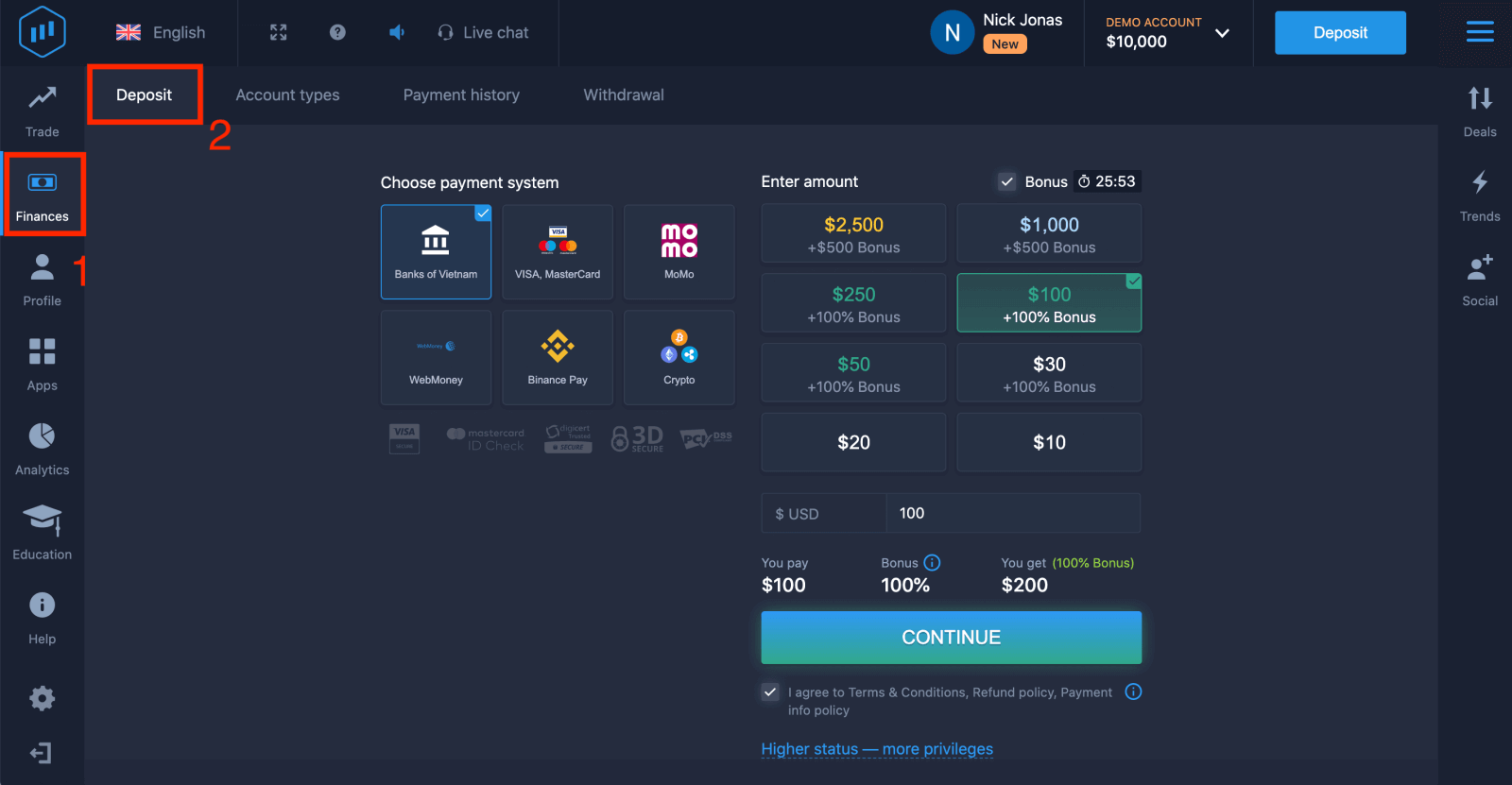
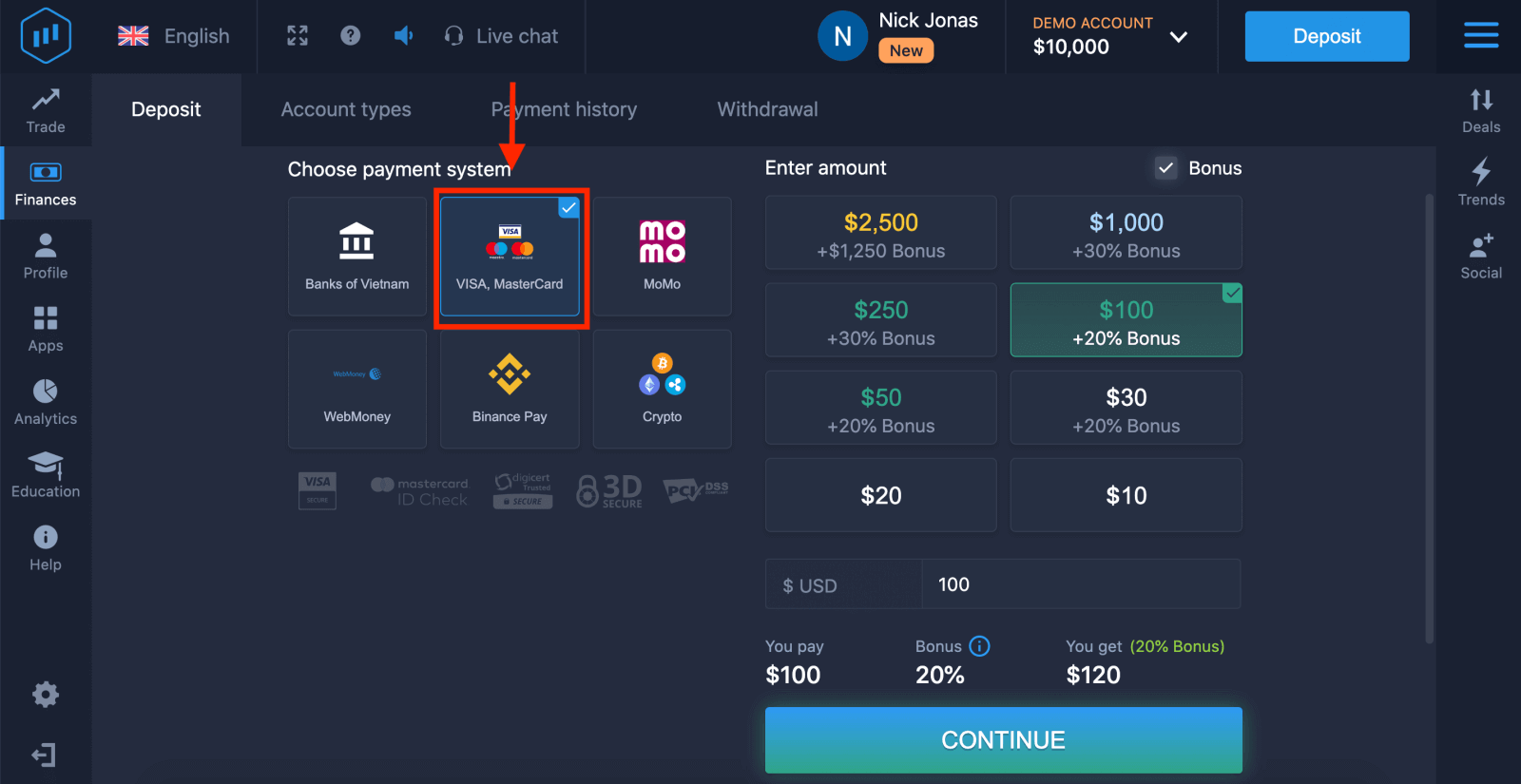
4. There are several ways to deposit funds into your account, you can make deposits via any debit and credit card. The card must be valid and registered in your name and support international online transactions. select "VISA / MasterCard".
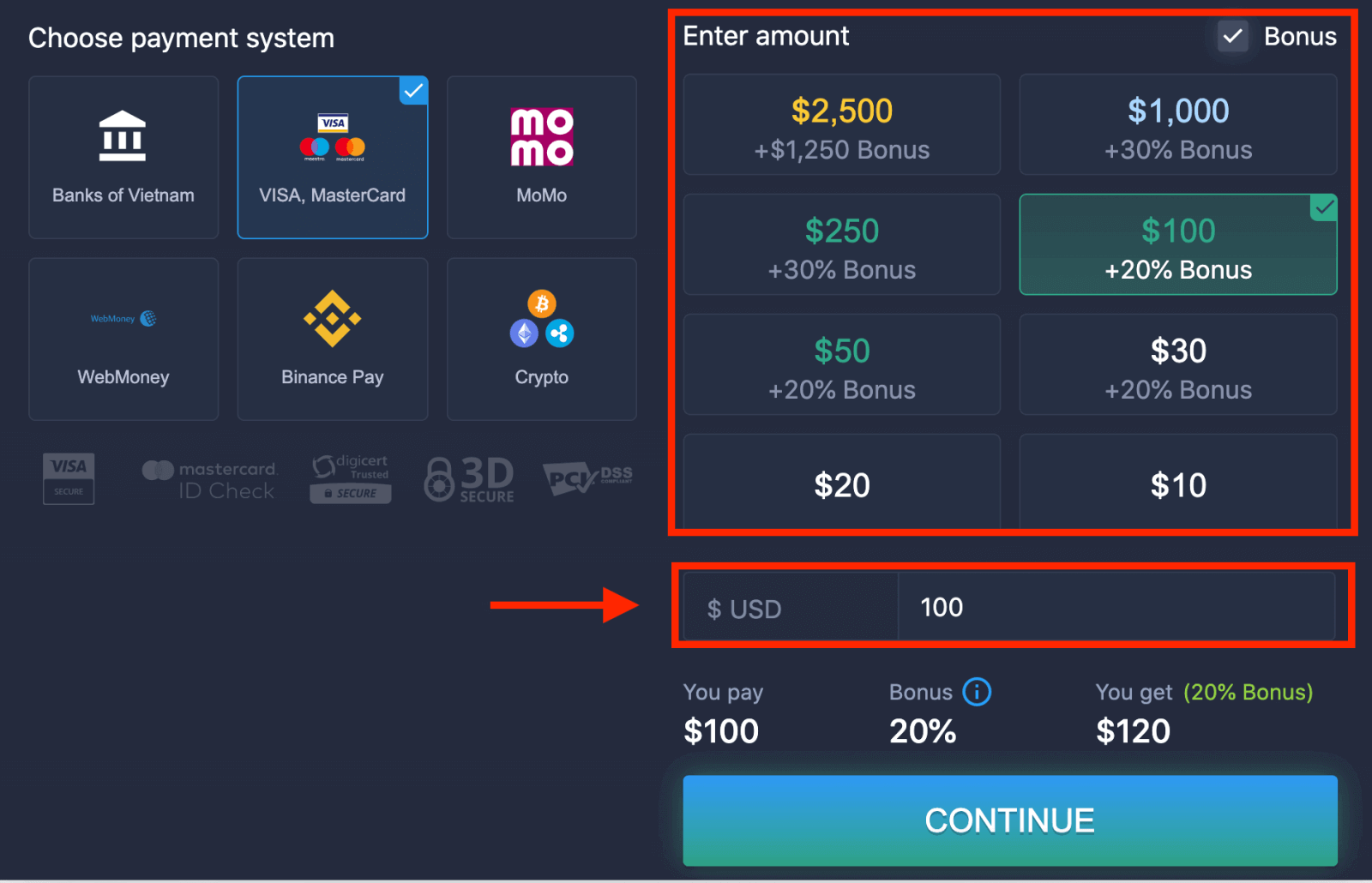
5. You may enter a deposit amount manually or select one from the list.
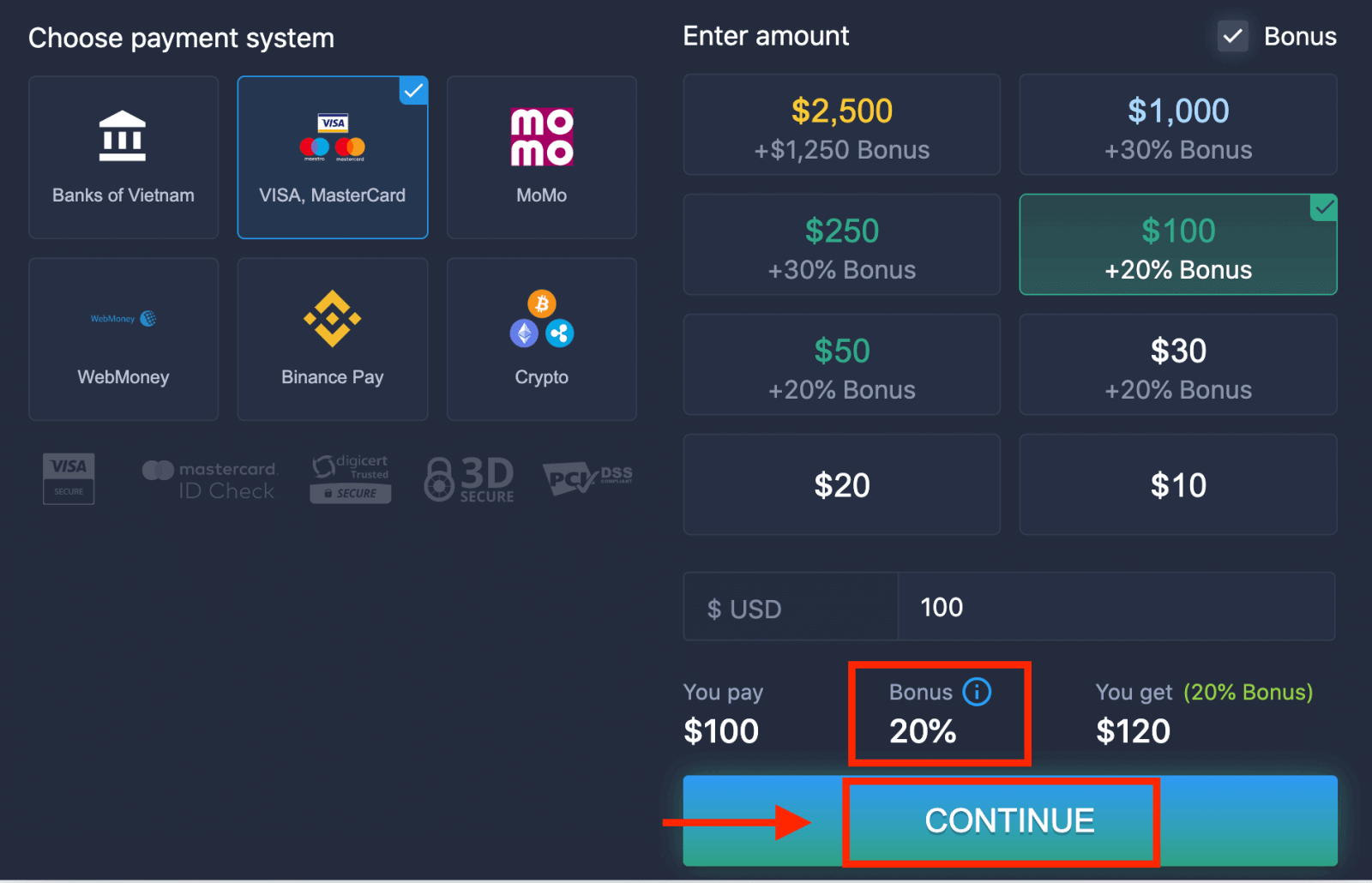
6. The system may offer you a deposit bonus, take advantage of the bonus to increase the deposit. After that, click "CONTINUE".
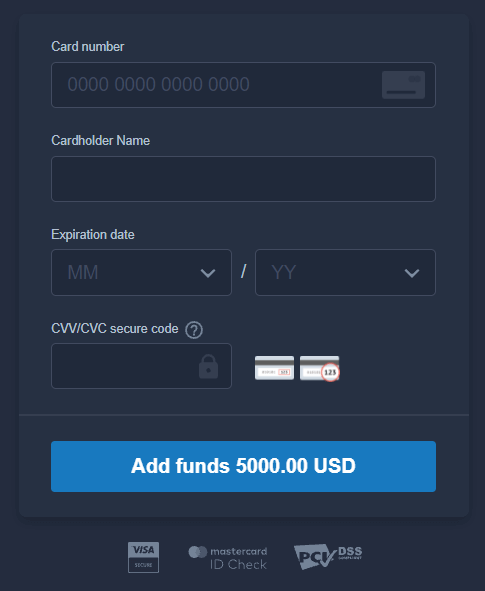
5. You will be redirected to a new page where you will be requested to enter your card number, cardholder name, and CVV.
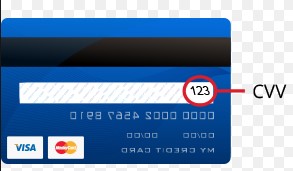
The CVV or СVС code is a 3-digit code that is used as a security element during online transactions. It is written on the signature line on the back side of your card. It looks like below.
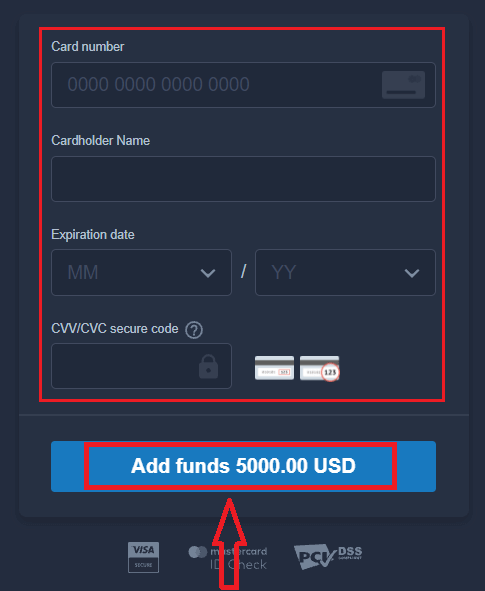
To complete the transaction, press the "Add funds ..." button.
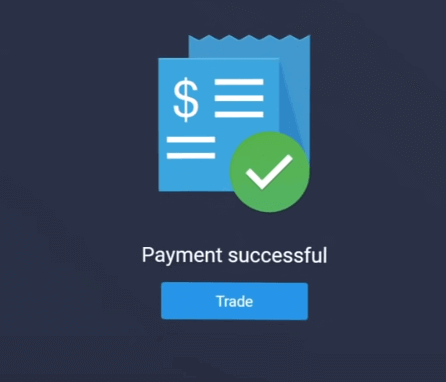
If your transaction has been completed successfully, a confirmation window will appear, and your funds will be credited to your account instantly.
Deposit on ExpertOption using Internet Banking
1. Visit the ExpertOption.com website or mobile app.2. Log in to your trading account.
3. Click on the “Finances” on the left upper corner menu and click "Deposit".
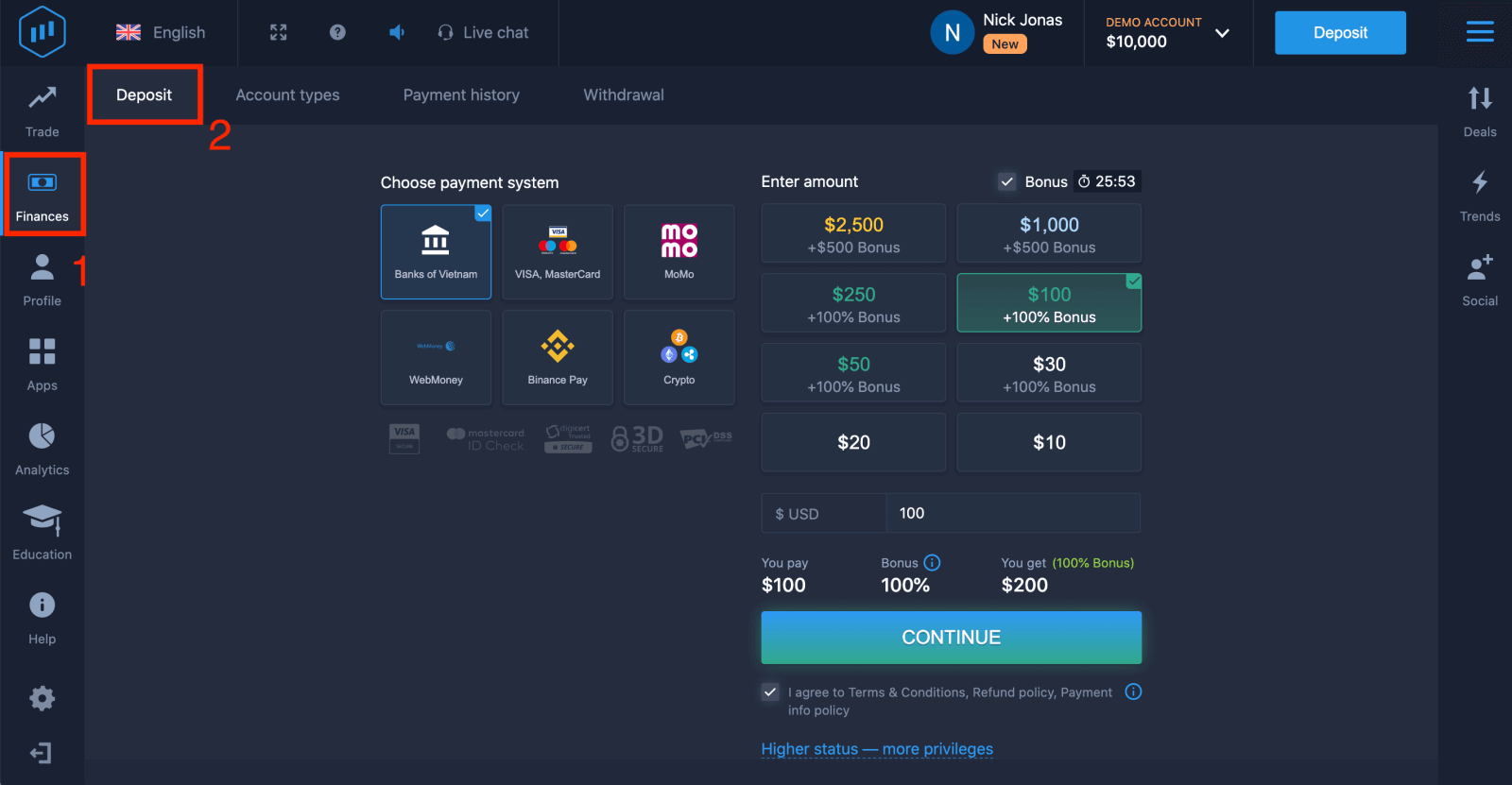
4. Select "Banks of...".
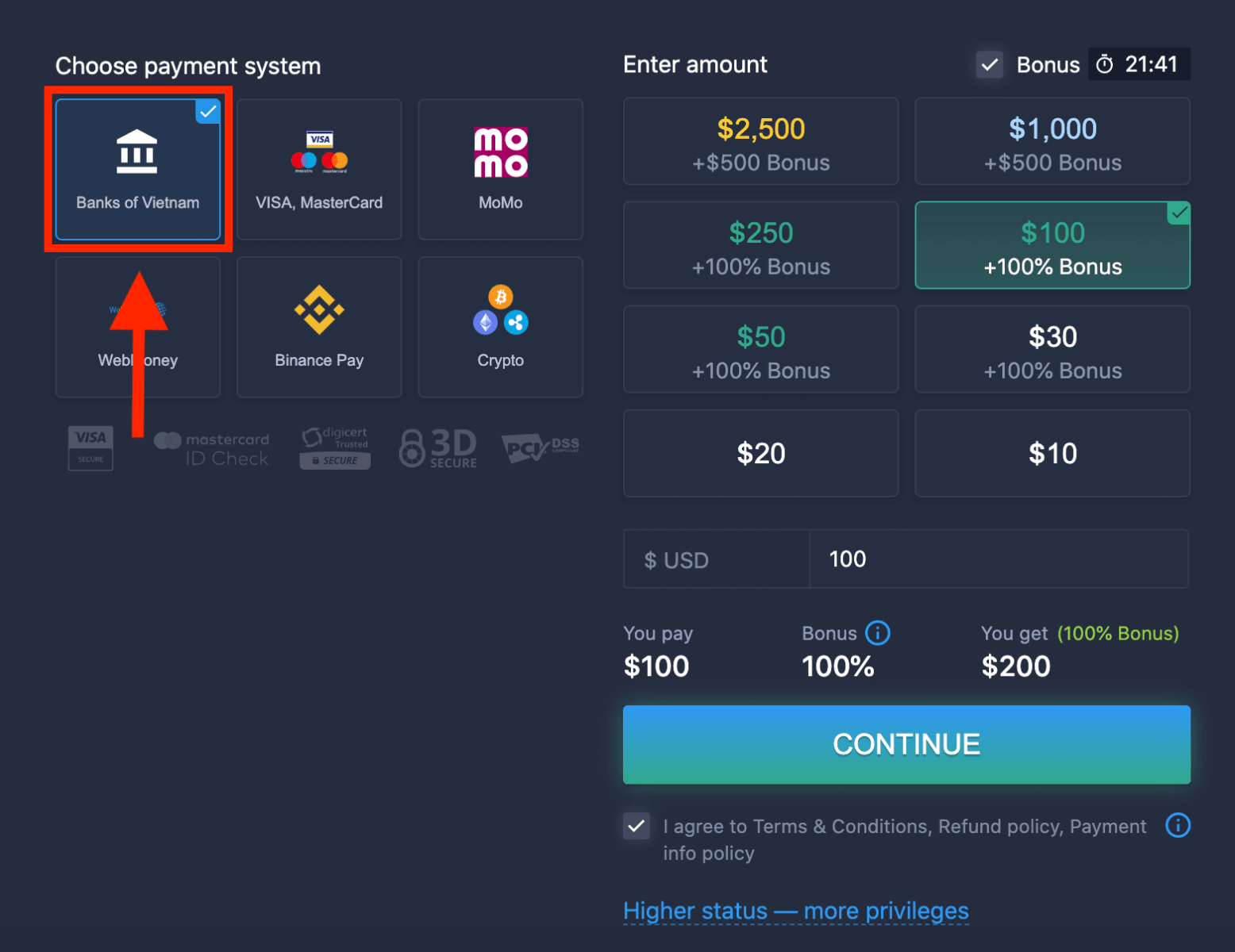
5. You may enter a deposit amount manually or select one from the list.
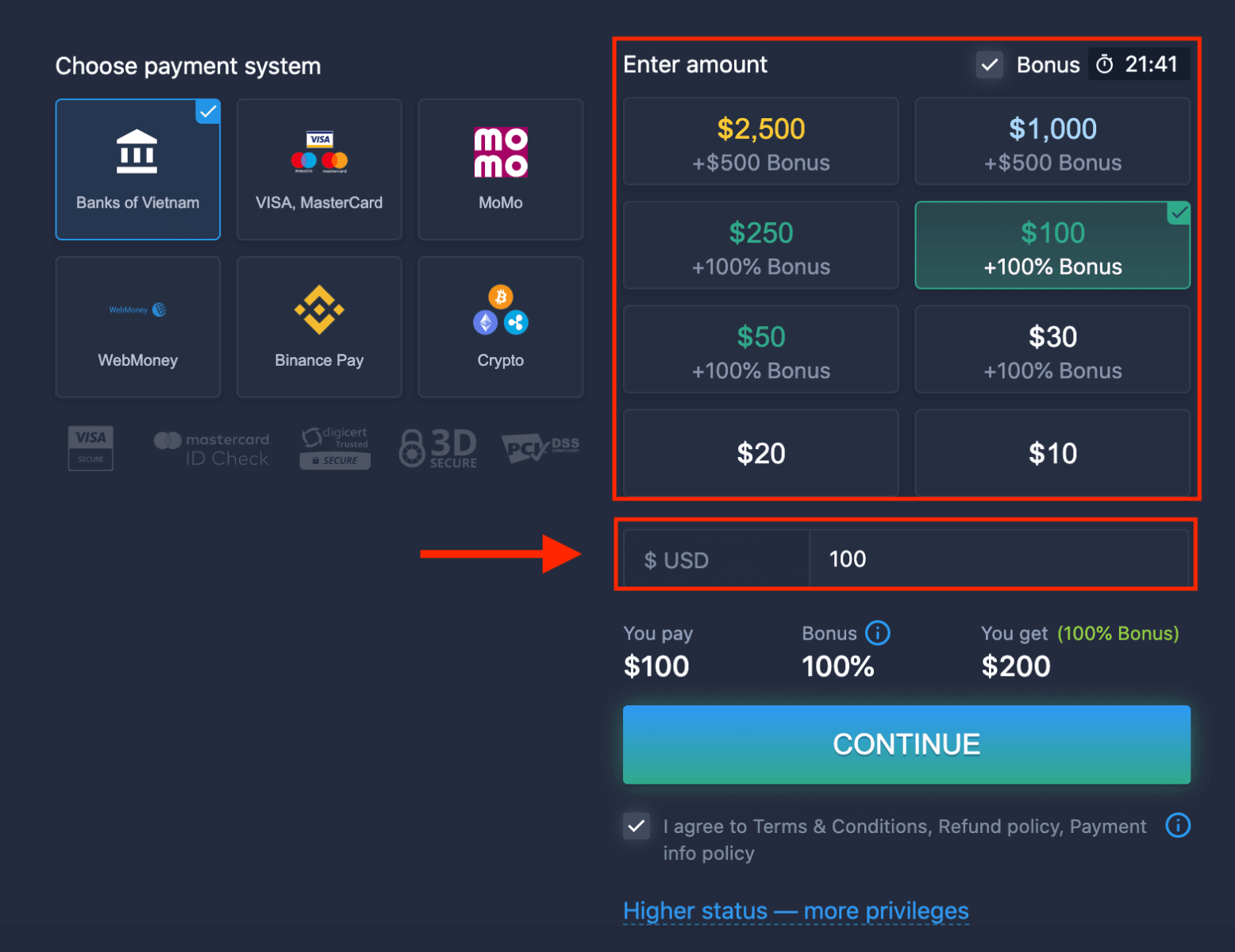
6. The system may offer you a deposit bonus, take advantage of the bonus to increase the deposit. After that, click "CONTINUE".
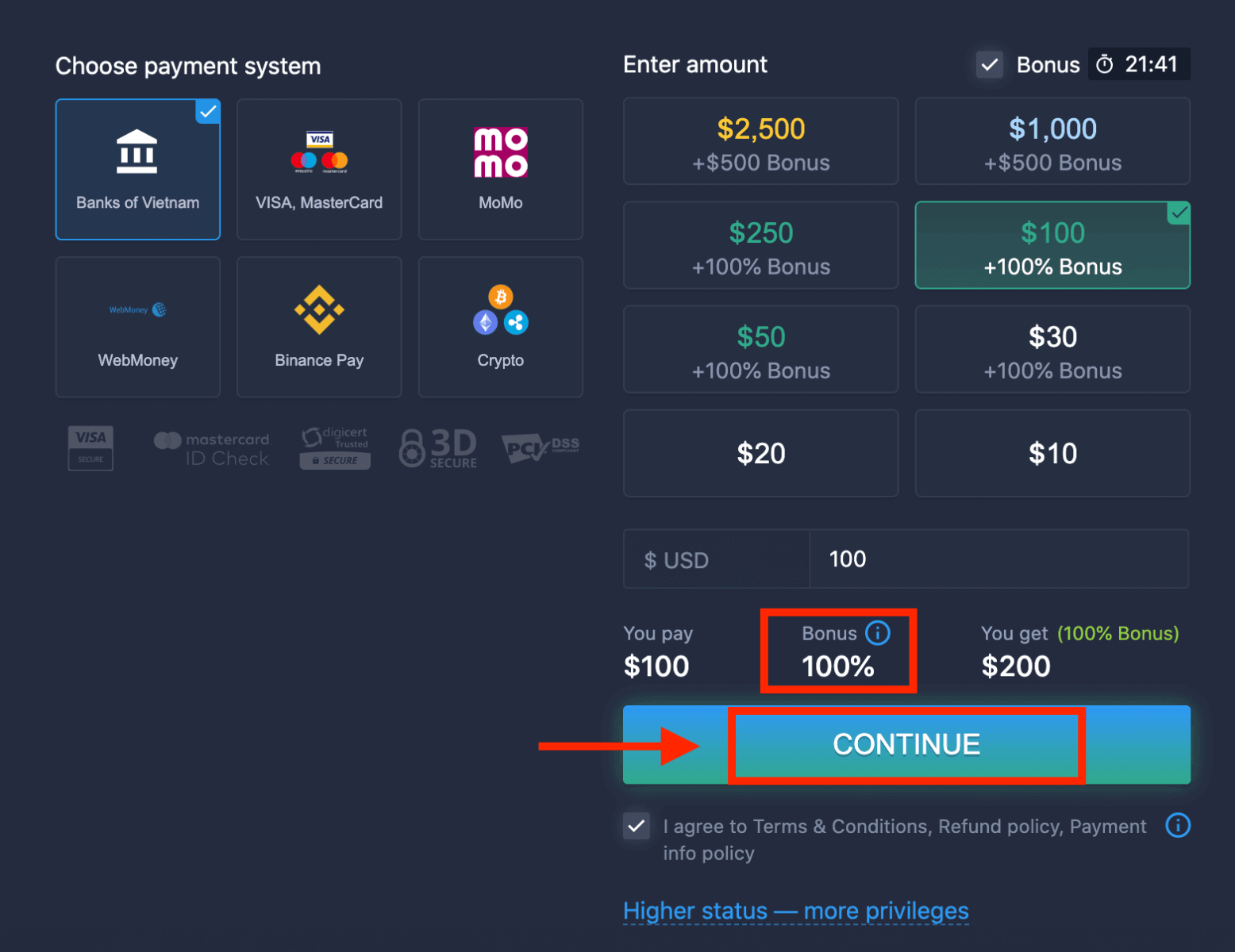
5. You will be redirected to a new page where you need to choose your bank.
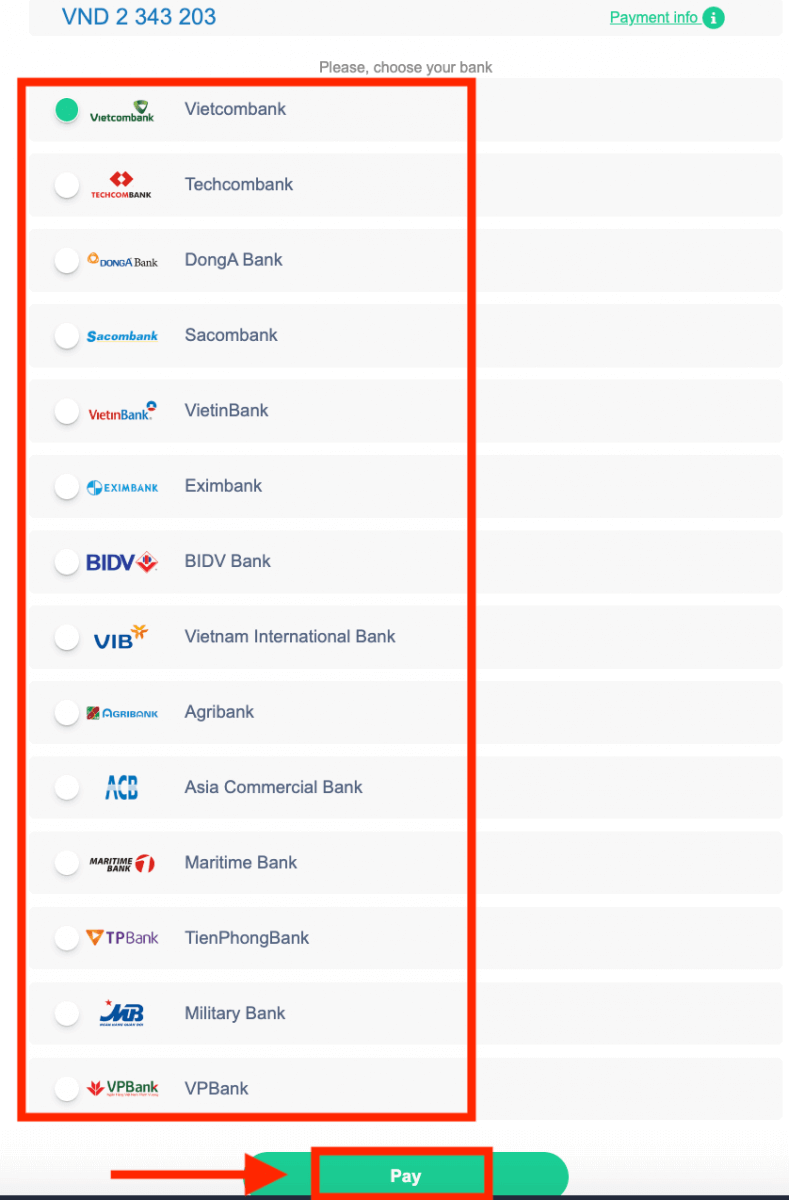
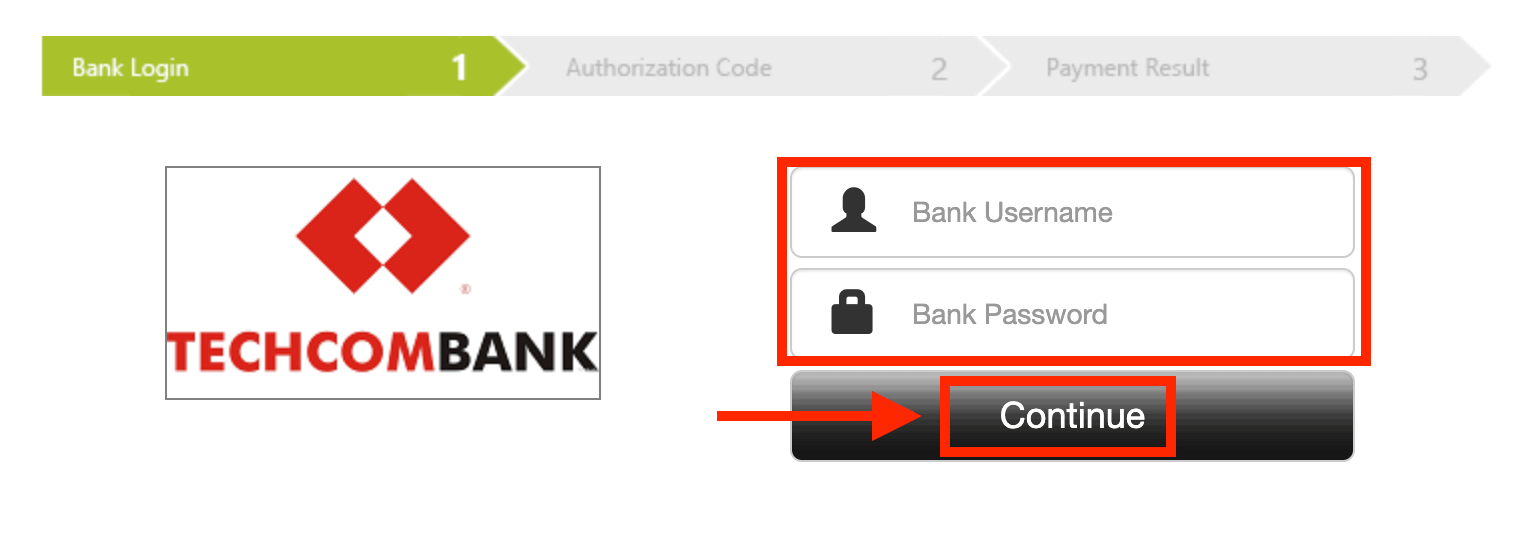
Enter the required data to deposit money to ExpertOption from your bank.
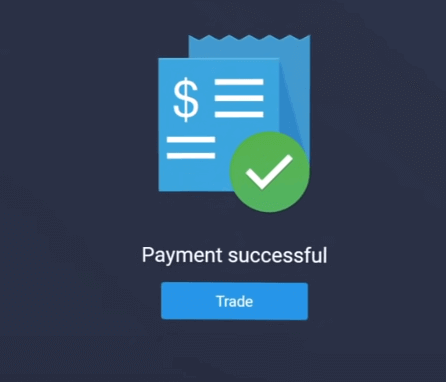
If your transaction has been completed successfully, a confirmation window will appear, and your funds will be credited to your account instantly.
Deposit on ExpertOption using E-payments
1. Visit the ExpertOption.com website or mobile app.2. Log in to your trading account.
3. Click on the “Finances” on the left upper corner menu and click "Deposit".
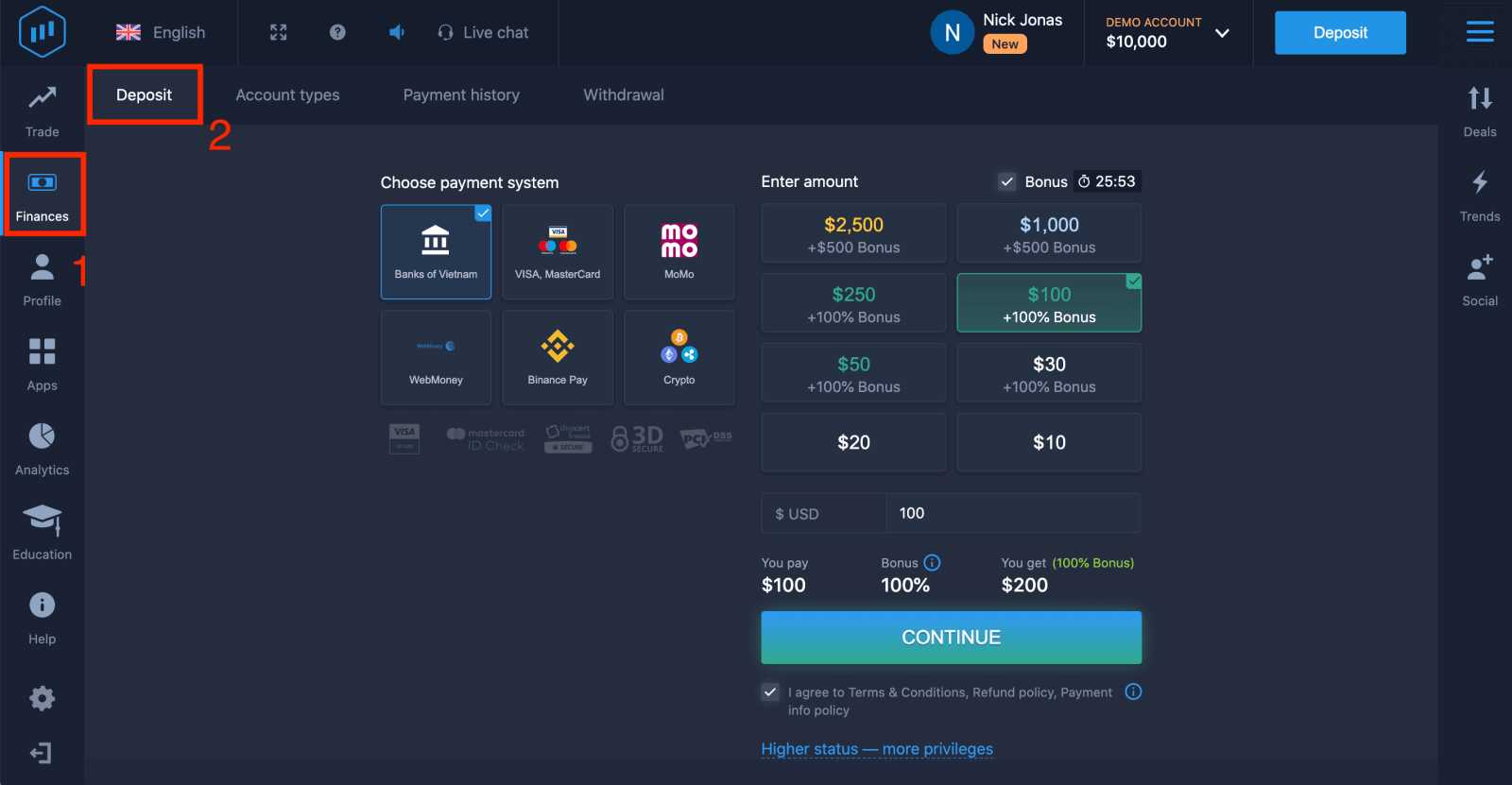 4. Select "WebMoney" as an example.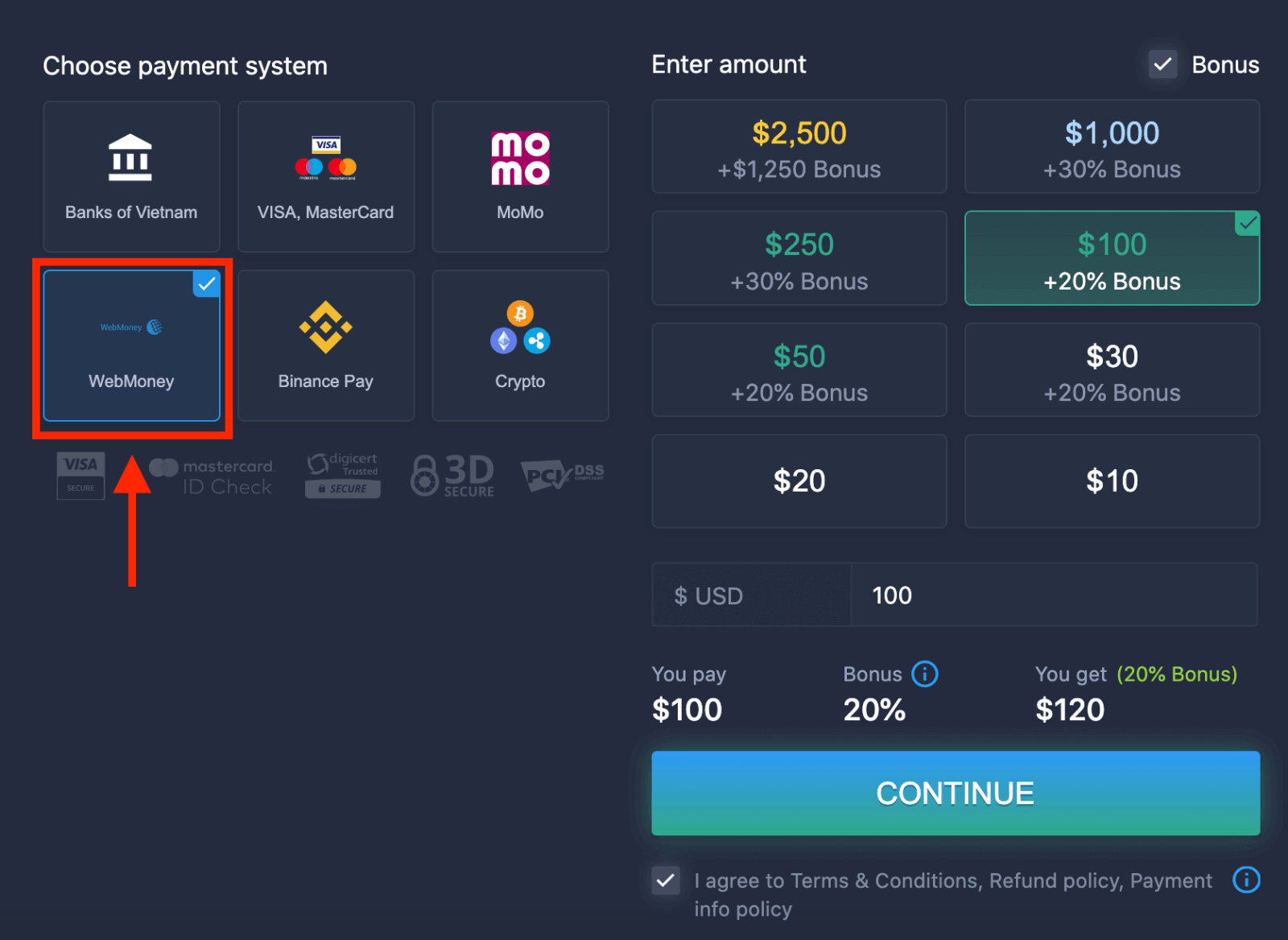
5. You may enter a deposit amount manually or select one from the list.
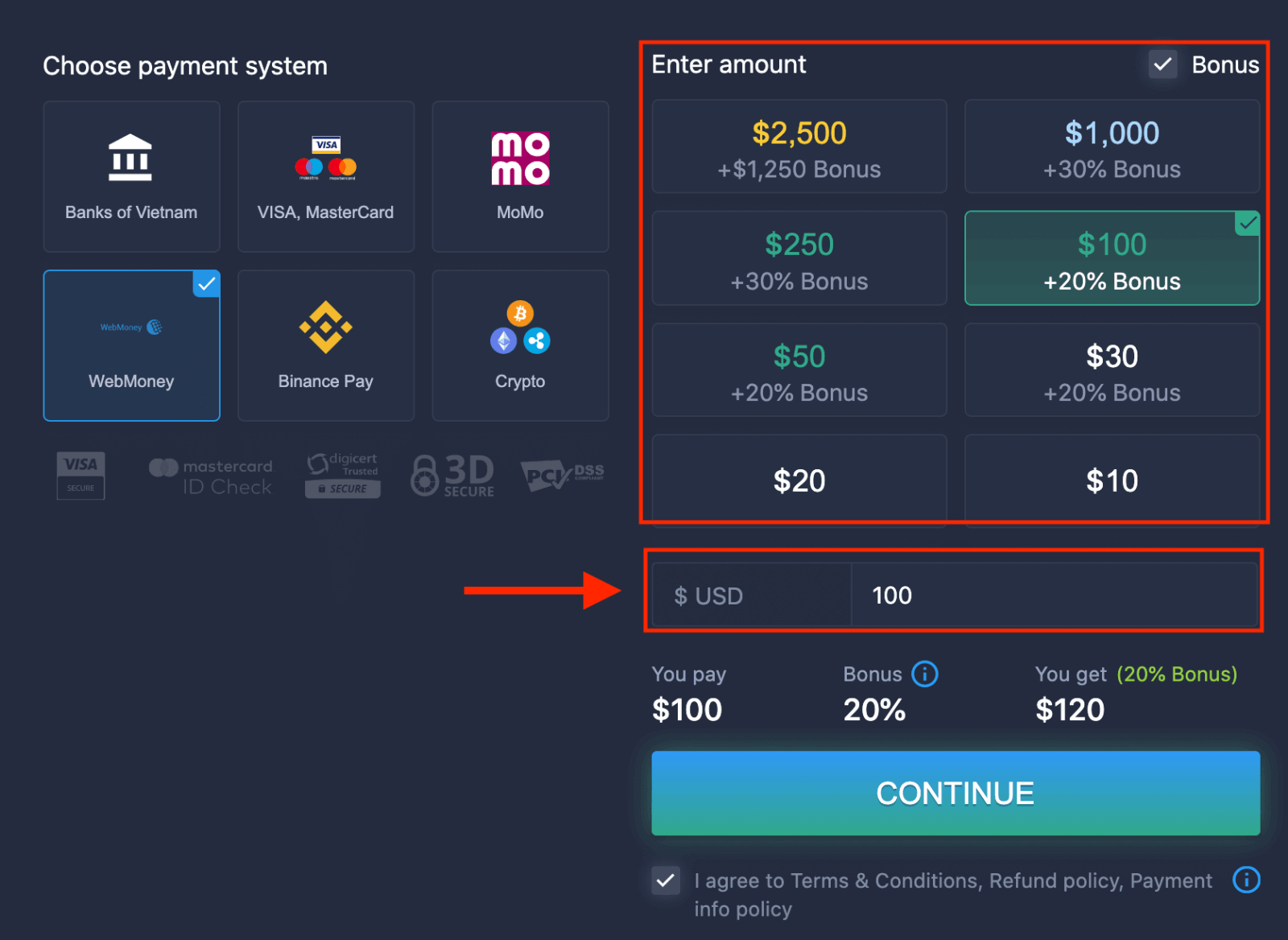
6. The system may offer you a deposit bonus, take advantage of the bonus to increase the deposit. After that, click "CONTINUE".
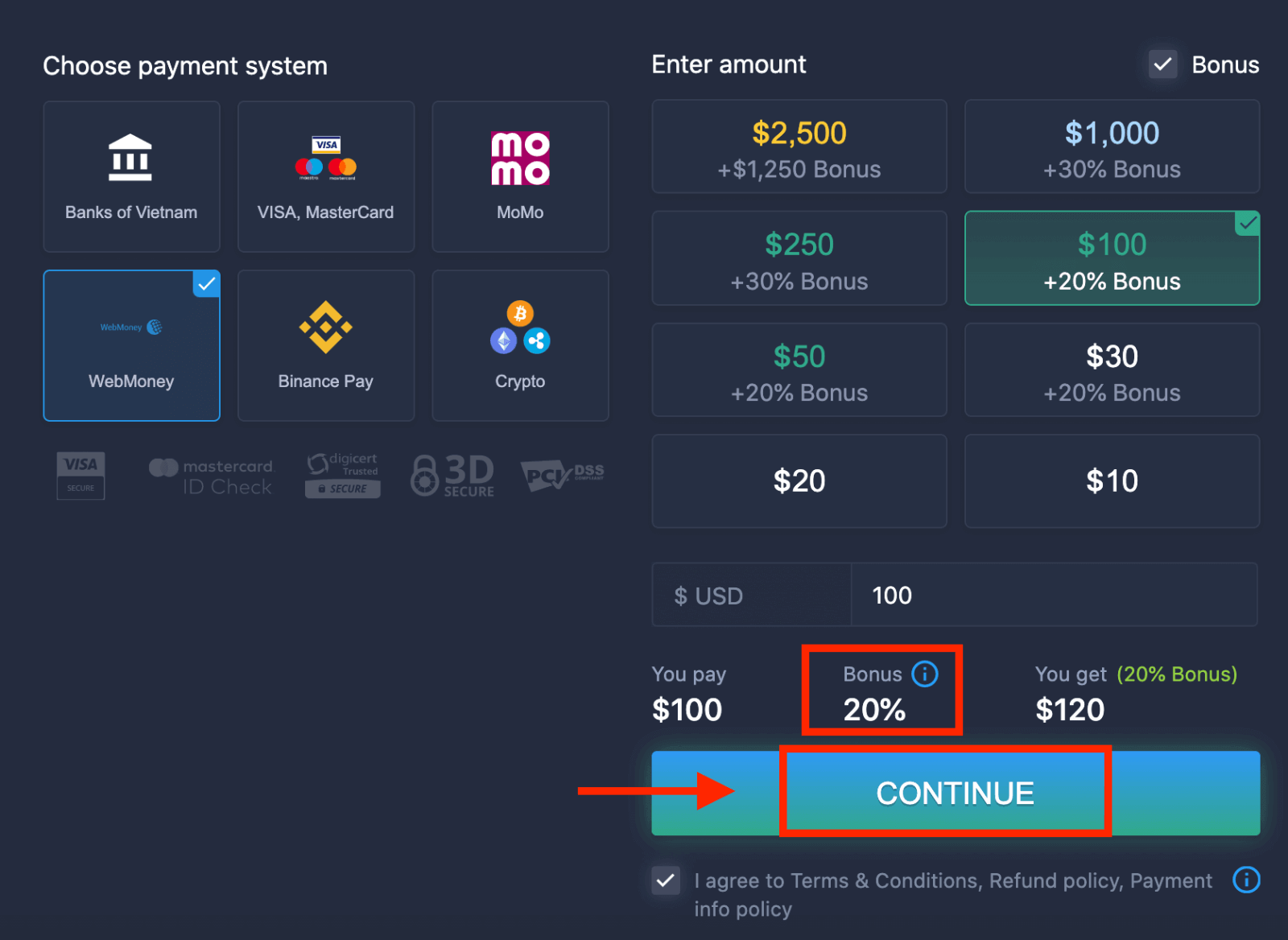 5. You will be redirected to a new page where you need to enter the required data to deposit money to ExpertOption.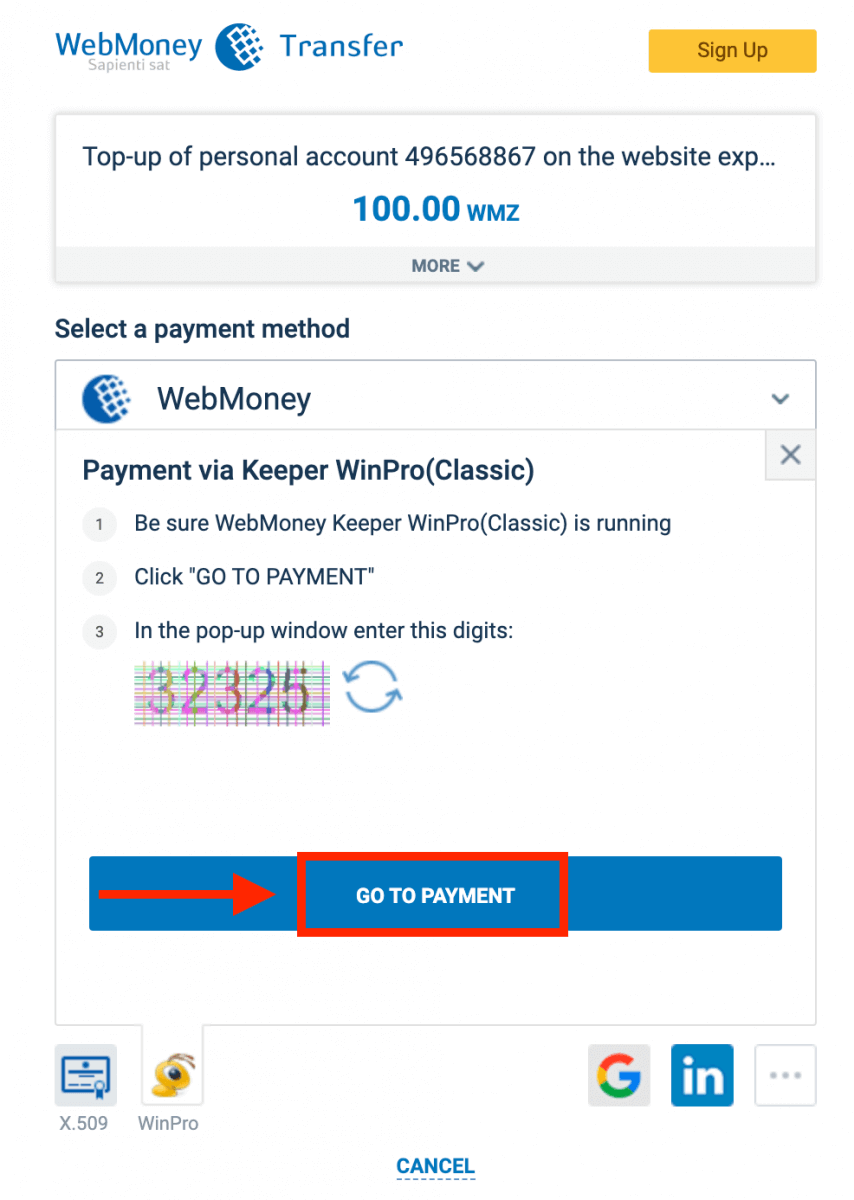
If your transaction has been completed successfully, a confirmation window will appear, and your funds will be credited to your account instantly.
Deposit on ExpertOption using Crypto
1. Visit the ExpertOption.com website or mobile app.2. Log in to your trading account.
3. Click on the “Finances” on the left upper corner menu and click "Deposit".
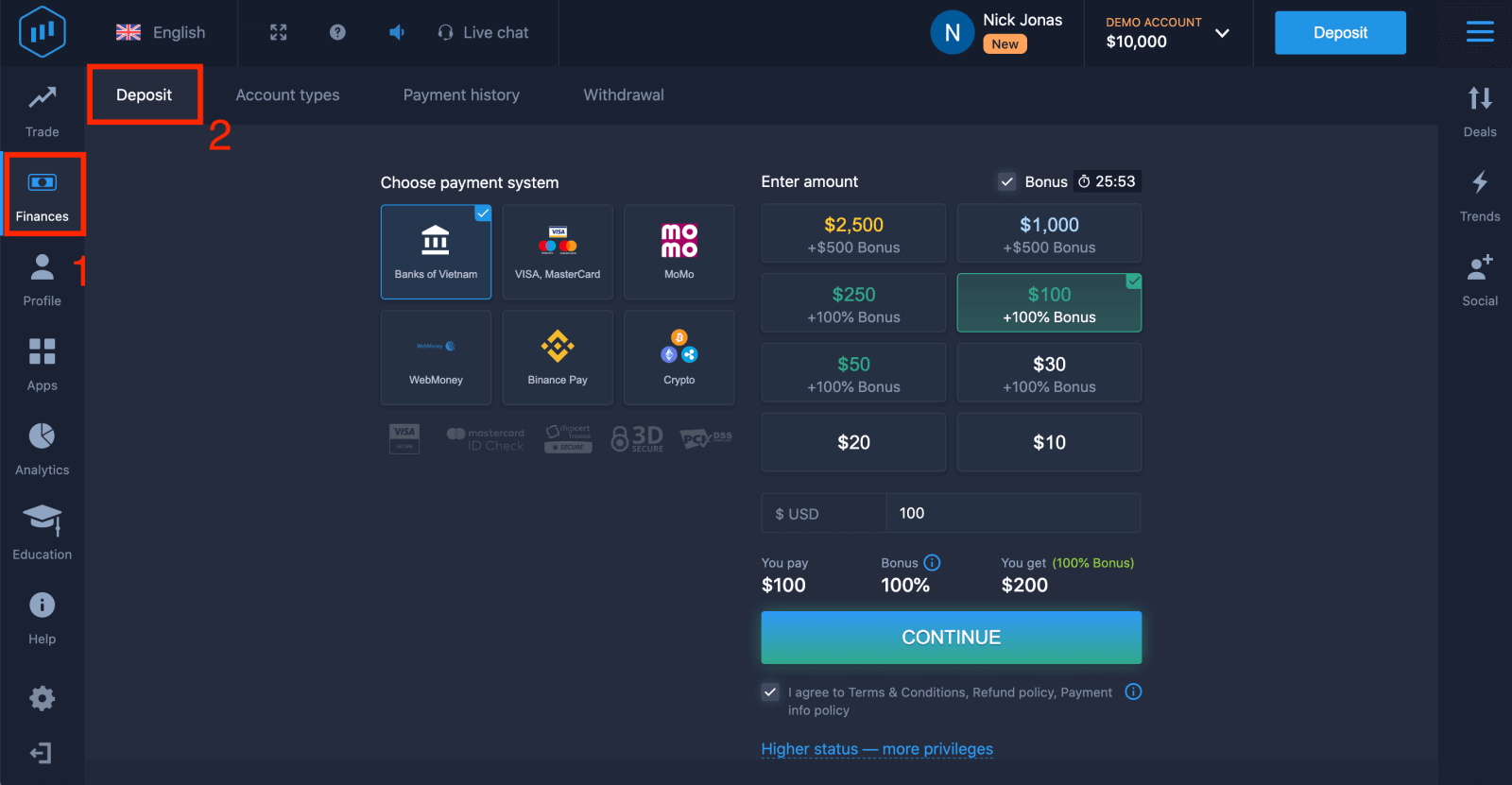 4. Select "Crypto" or "Binance Pay".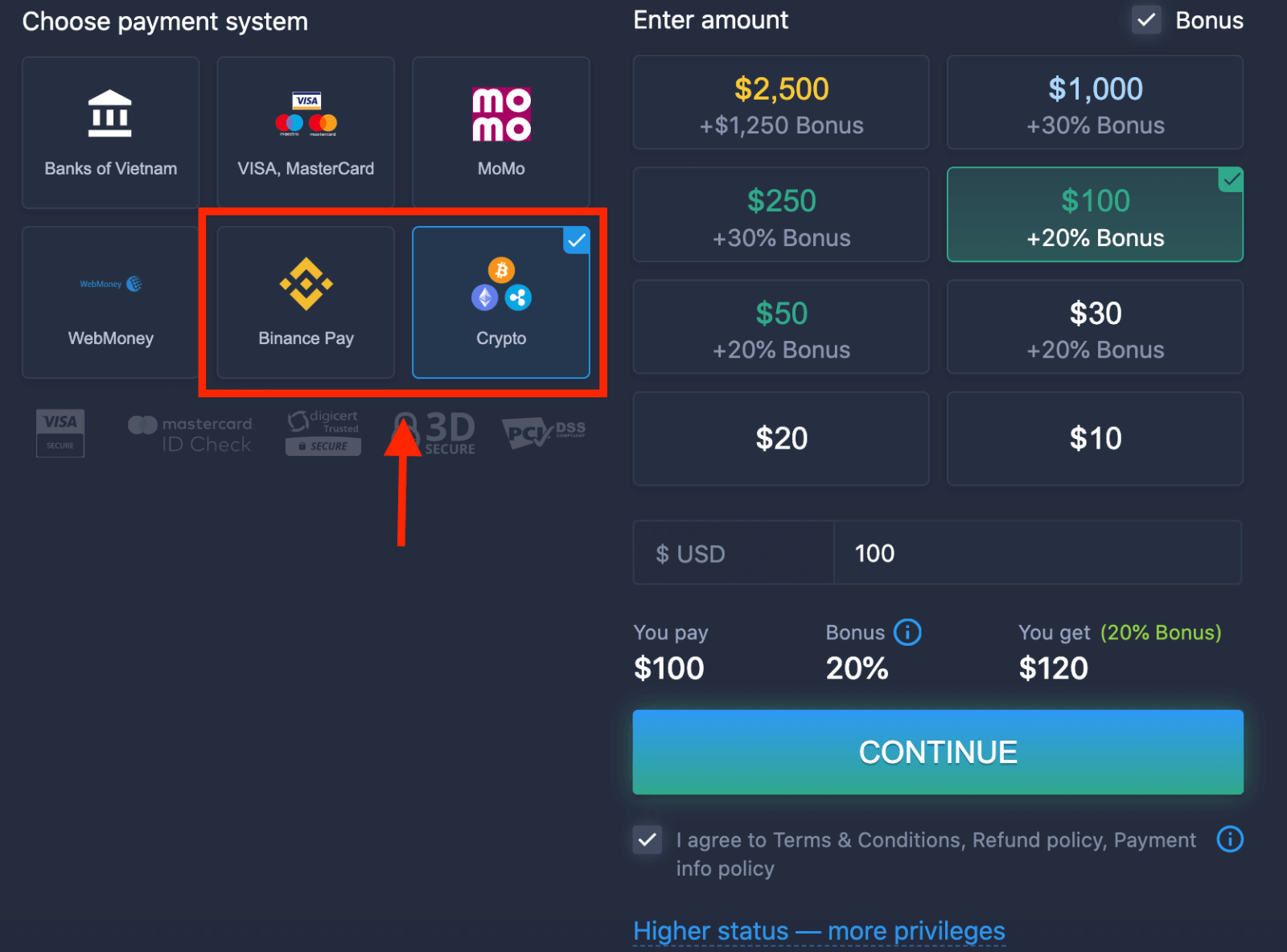
5. You may enter a deposit amount manually or select one from the list.
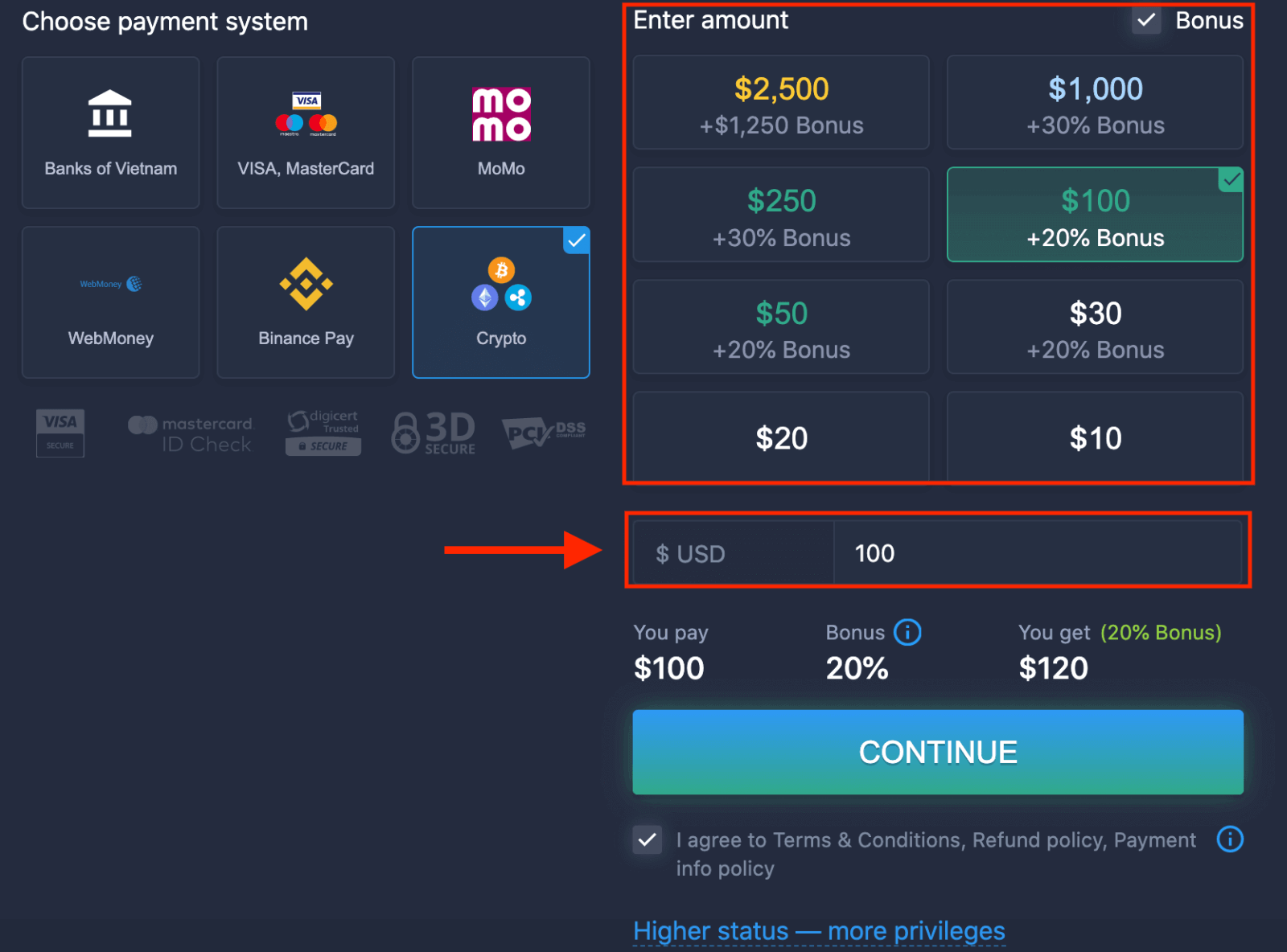
6. The system may offer you a deposit bonus, take advantage of the bonus to increase the deposit. After that, click "CONTINUE".
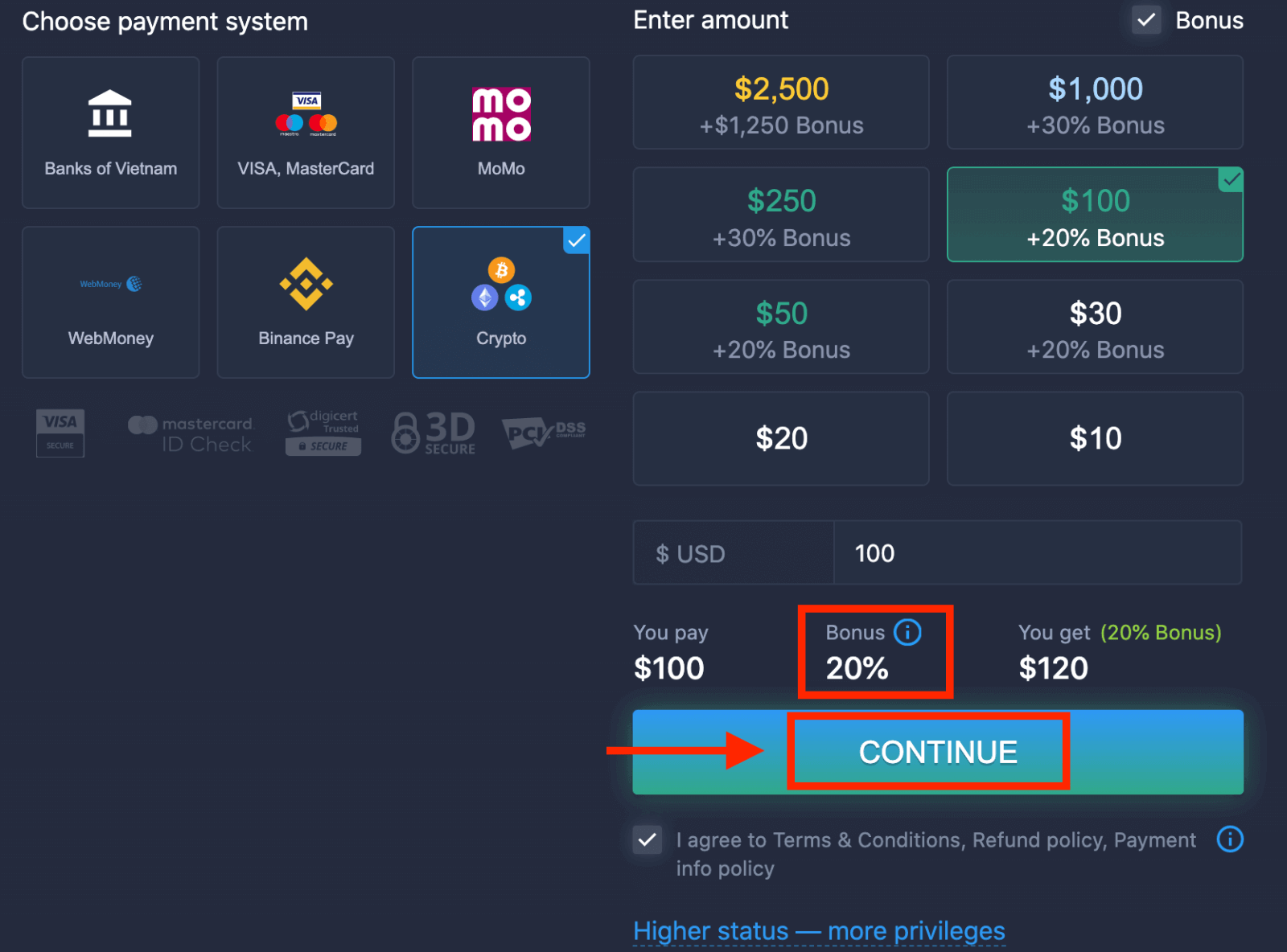
5. You will be redirected to a new page where you can get the address and send exactly the crypto to that address.
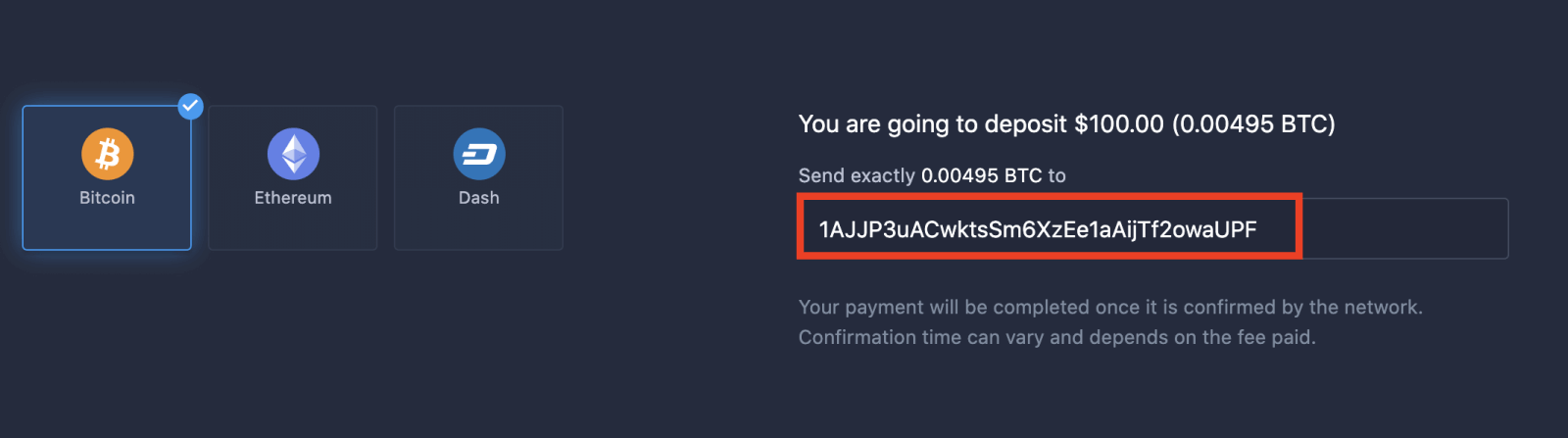
Your payment will be completed once it is confirmed by the network. Confirmation time can vary and depends on the fee paid.
Higher status — more privileges
| Micro | Basic | Silver | Gold | Platinum | Exclusive |
|
For those who prefer a light start. Upgrade to a higher status when ready |
For those who prefer a light start. Upgrade to a higher status when ready | The majority of our clients start with a Silver account. Free consultations included | Smart investments start with a Gold account. Get the most from your account with privileged features | Our best expertise and exclusive account management for serious investors | Ask your account manager for additional information |
|
from $10
|
from $50
|
from $500
|
from $2,500
|
from $5,000
|
Invitation only |
Account Types
| Micro | Basic | Silver | Gold | Platinum | Exclusive | |
|
Education materials
|
 |
 |
 |
 |
 |
 |
|
Daily Market Reviews and Financial Research
|
 |
 |
 |
 |
||
|
Priority withdrawal
|
 |
 |
 |
|||
|
Maximum number of simultaneously open deals
|
10
|
10 | 15 | 30 | no limit | no limit |
|
Maximum deal amount
|
$10
|
$25 | $250 | $1000 | $2,000 | $3,000 |
|
Increased asset profit
|
0
|
0 | 0 | up to 2% | up to 4% | up to 6% |
Conclusion: Funding Your ExpertOption Account Is Simple and Secure
Depositing money into your ExpertOption account is a fast, safe, and hassle-free process. With multiple global and local payment options, low minimum requirements, and instant transaction confirmation, ExpertOption ensures that traders can start their journey without unnecessary delays. A properly funded account allows you to take full advantage of trading opportunities and platform features, so you can trade smarter and more efficiently. FAQs
Minimum deposit amounts vary by payment method and region; some e-wallets and cards accept small deposits while bank transfers may require higher minimums. ExpertOption accepts multiple fiat currencies and selected cryptocurrencies — check the deposit screen in your account for the exact minimum and currency list before confirming.
Common options include credit/debit cards, major e-wallets, local or international bank transfers and certain cryptocurrencies. Card and e-wallet deposits are usually instant or complete within minutes, crypto depends on blockchain confirmations, and bank transfers can take several business days. First-time payments may require extra verification, which can add processing time.
Failed deposits often stem from incorrect card details, insufficient funds, 3D Secure or bank authorization blocks, currency mismatches, or pending KYC checks. Start by verifying the payment details, check for an email or in-app notification explaining the decline, contact your card provider to confirm authorization rules, retry with a different method if needed, and submit any requested verification documents. Keep receipts and timestamps to help support investigate.
You can usually make small deposits before full verification, but larger deposits or withdrawals will trigger identity checks. Typical documents include a government ID, proof of address, and for card deposits a photo of the card (with some digits masked) or a bank statement. Missing, expired or mismatched documents can delay funding and lead to holds until verification is complete.
Saving payment details can be convenient but carries risk if devices are shared or unsecured. Use device-level protection and two-factor authentication, enable app or account PINs, avoid public Wi-Fi, and only store cards on devices you control. Consider using e-wallets for one-click funding if you prefer added separation between your bank card and the trading account.